Blogs
Can DVD Players Play MP4? Yes, Here is a Guide!
Introduction
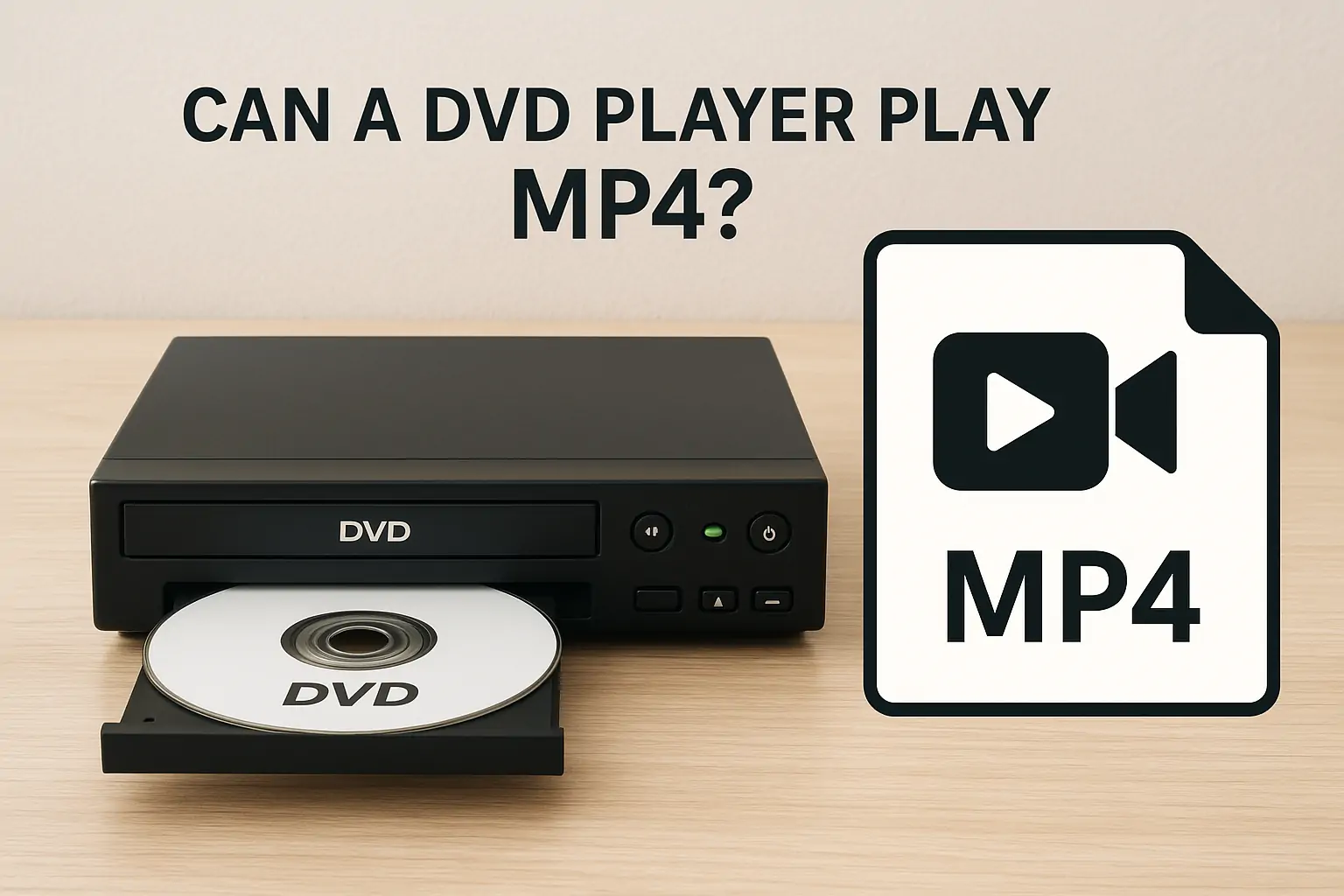
MP4 is a widely used video format today. You can play MP4 files on a wide range of devices, including mobile phones, laptops, PCs, TVs, Xbox consoles, and many others. Many people are confused about whether a DVD player can play MP4 files. Some models of DVD players support MP4 files, while others do not. Some DVD players also support playing MP4 files from a USB.
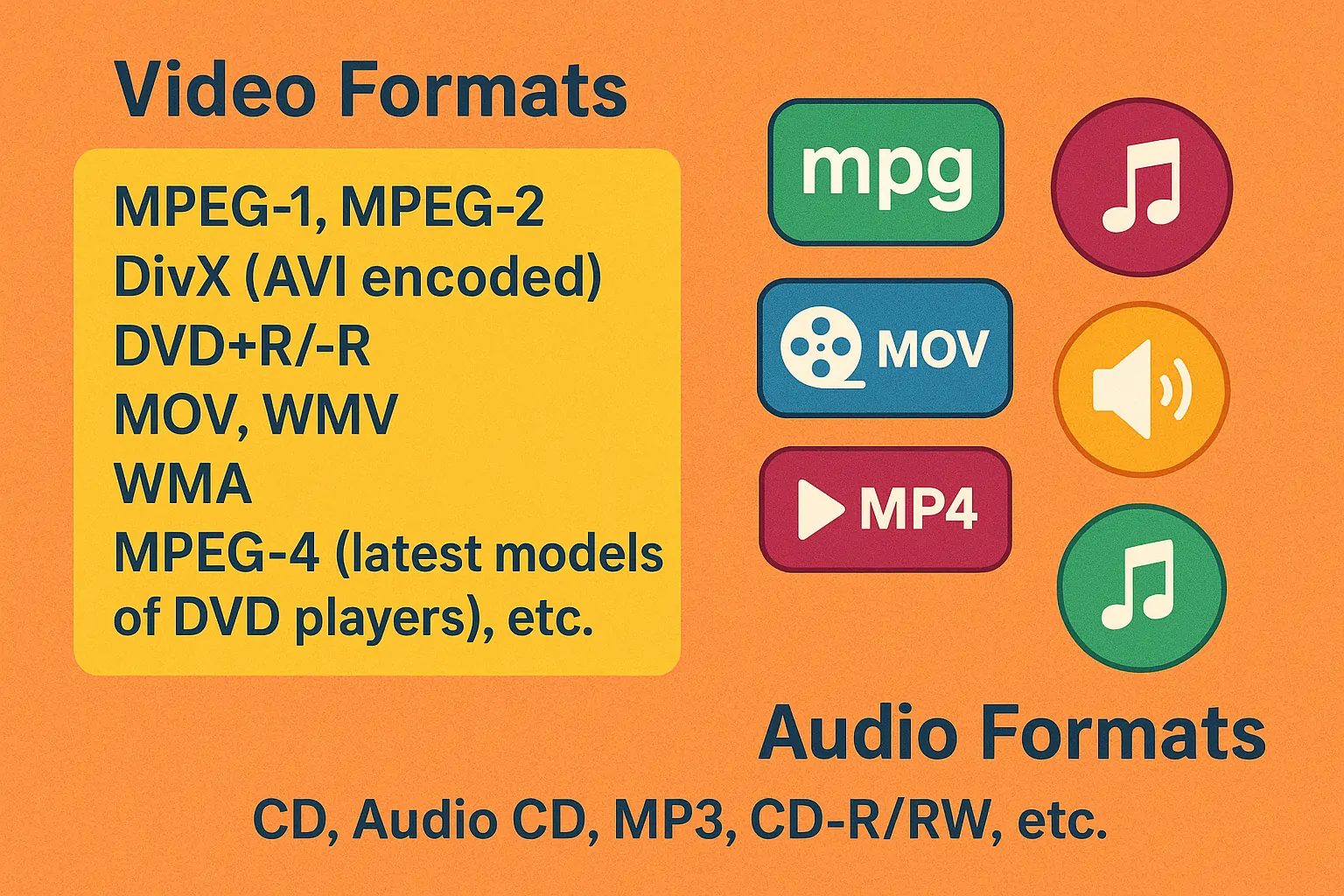
Below are some audio/video formats that DVD players support:
Video Formats
MPEG-1, MPEG-2, DivX (AVI encoded), DVD+R/-R, MOV, WMV, WMA; MPEG-4 (latest models of DVD players), etc.
Audio Formats
CD, Audio CD, MP3, CD-R/RW, etc.
In this article, we will explore the answer to the question, “Can DVD players play MP4?” We will also outline a step-by-step guide on how to play MP4 files on DVD players. Stay with us!
Can DVD Players Play MP4 from USB?
Some models of DVD players support playing MP4 files from a USB. You can transfer your files to a USB and then connect the USB to the DVD player. However, not all DVD players have that function.
Which DVD player plays MP4?
Technically, if a DVD player is encoded with all MP4 codecs, it can play MP4 files. Here are some of the DVD player models that support playing MP4:
- Panasonic – DMP-BD84P-K– A Blu-ray DVD player
- WONNIE – W-HD1106S– A car DVD player supports MP4 files
- MEGATEK– DP-260M55HD, DP-225M66HD
Old models of DVD players do not support MP4 files. Newer models support MP4 files, but they are expensive. It is recommended to convert your MP4 files into a video format that your DVD player supports. You can check the supported video formats from the user manual of your DVD player or from the manufacturer’s website. You can also burn the MP4 file to a DVD to play it on a DVD player.
How to Play MP4 Files on Non-MP4 Compatible DVD Players?
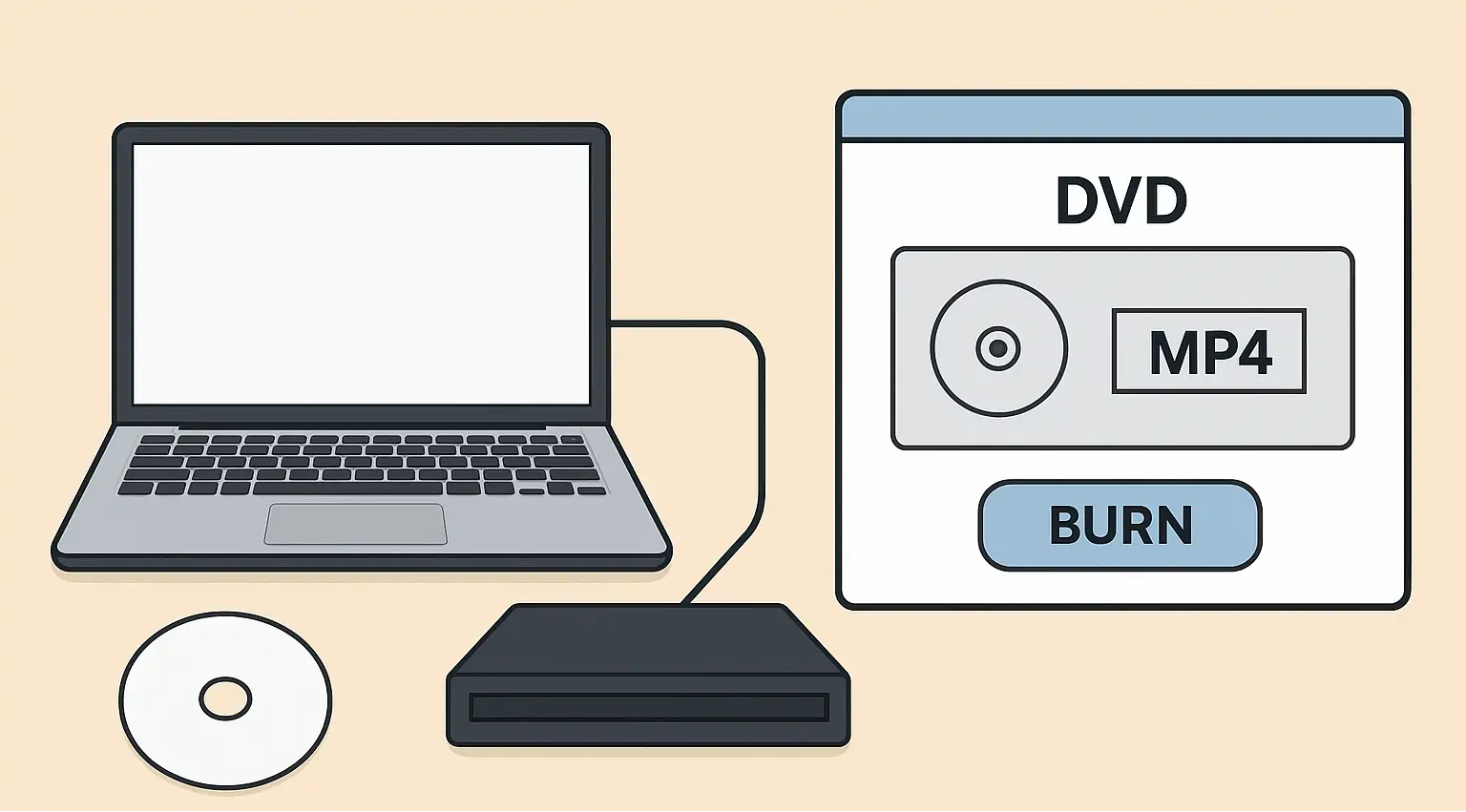
You can easily play MP4 files on a DVD player that does not support MP4 by burning the MP4 file onto a DVD. Here is the step-by-step guide on how to burn an MP4 file on a DVD.
Requirements
- Computer/Laptop
- Blank DVD
- internal/external DVD drive on your PC
- A DVD burning software that supports MP4 to DVD conversion, e.g., EaseFab DVD Creator, WinX DVD Ripper, etc.
Steps to Burn an MP4 file on a DVD Player
Step 1: Download a DVD burning software of your choice and follow the installation wizard to install it on your PC. In this example, we will use EaseFab DVD Creator.
Step 2: Launch the EaseFab DVD Creator software.
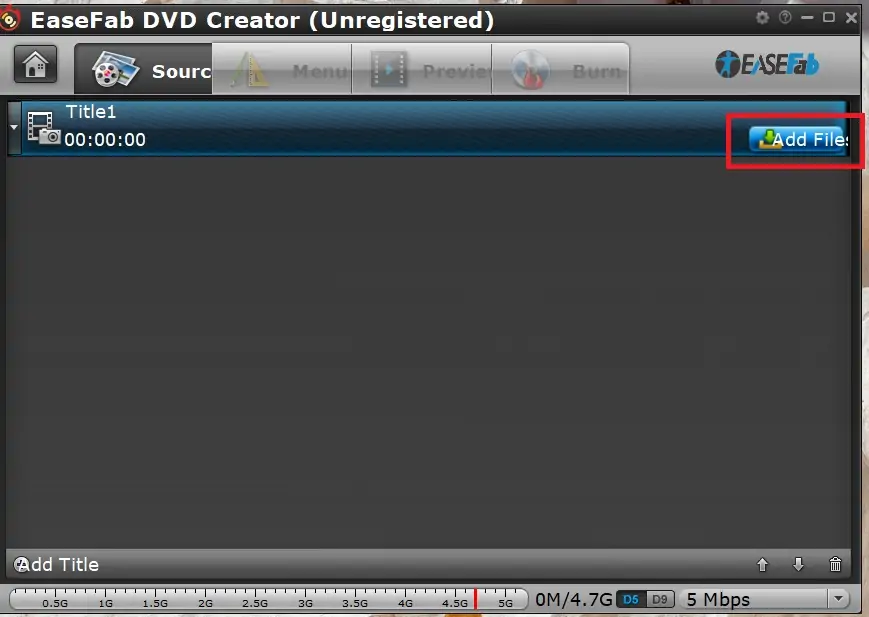
Step 3: Click Add Files to add the desired MP4 files to the program.
Step 4: You can use different preset templates from the DVD Creator Menu. If you do not want to use any template, select “No Menu” from the Menu Templates option.
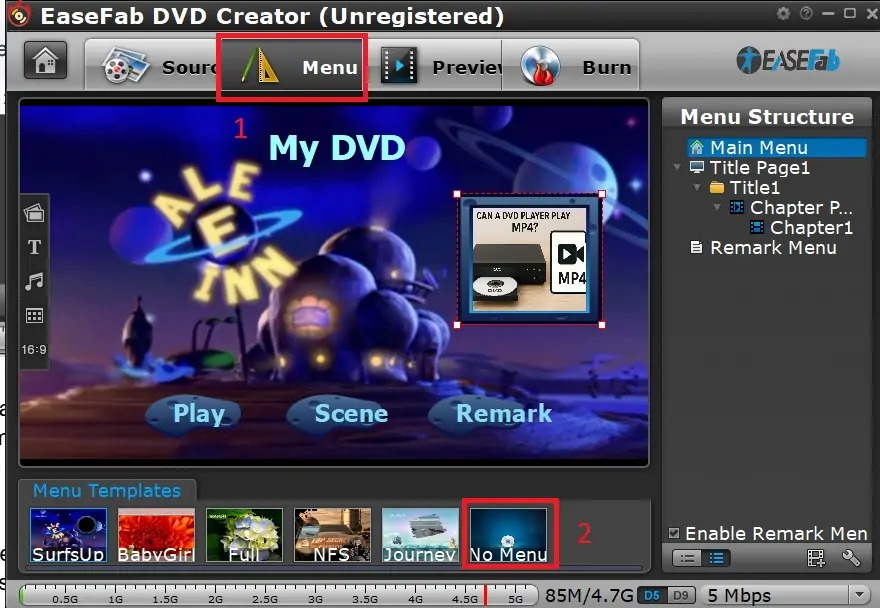
Step 5: Press the Preview tab to view how the MP4 file will play on your DVD player.
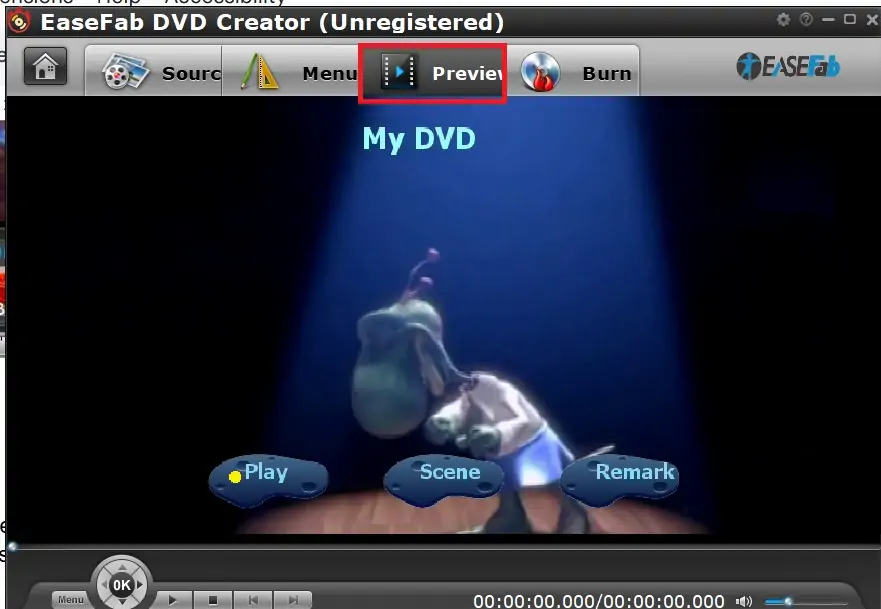
Step 6: Insert the blank DVD in the DVD drive of your PC and click the Burn button from the main menu of EaseFab DVD Creator software.
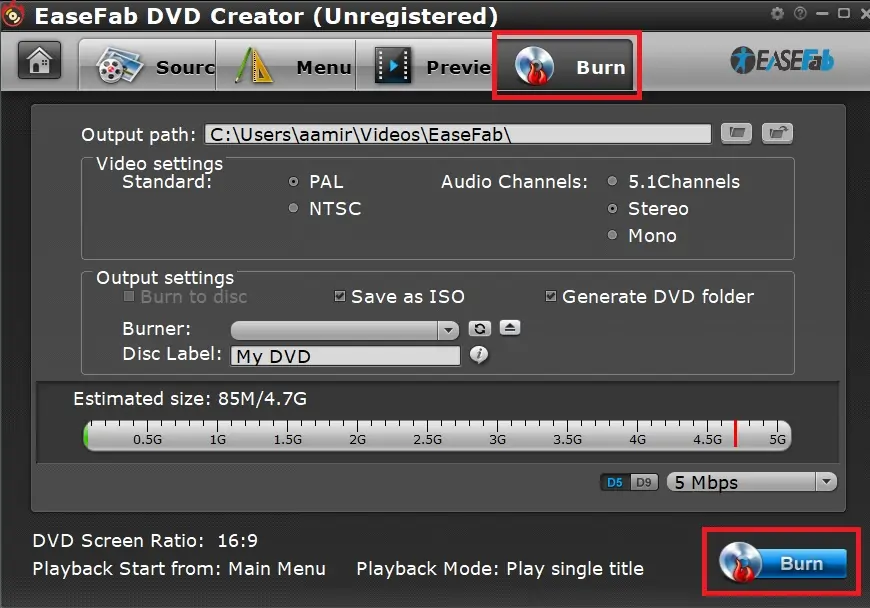
Step 7: The selected MP4 file will be burned onto the DVD. You can insert the DVD in the DVD player and easily play an MP4 file on your unsupported DVD player.
How to Solve MP4 Not Playing on MP4-Compatible DVD Players?
While some DVD players claim to support MP4 files, they often fail to play them correctly. This typically occurs when the MP4 file is encoded in a way that the player cannot decode.
MP4 is only a container format that can store music and video that has been compressed using various codecs. Your player may not support the particular codec used in your file, even if it claims to support MP4. MP4 files encoded with DivX or Xvid, for instance, can be played by some players, while MP4 files using the H.264 codec cannot because your player does not support the H.264 codec.
It is recommended to check the technical manual of your DVD player or visit the manufacturer’s website to check which codecs are supported by your DVD player. In case your DVD player does not support the specific codecs used in the MP4 video that you wish to play, you can convert the MP4 video to a format supported by your DVD player using the following steps:
Step 1: Open EaseFab Video Converter on your PC/laptop.
Step 2: Click the Add Video icon to add MP4 videos to EasFab Video Converter. You can also drag the MP4 files and then drop them in the EasFab software.
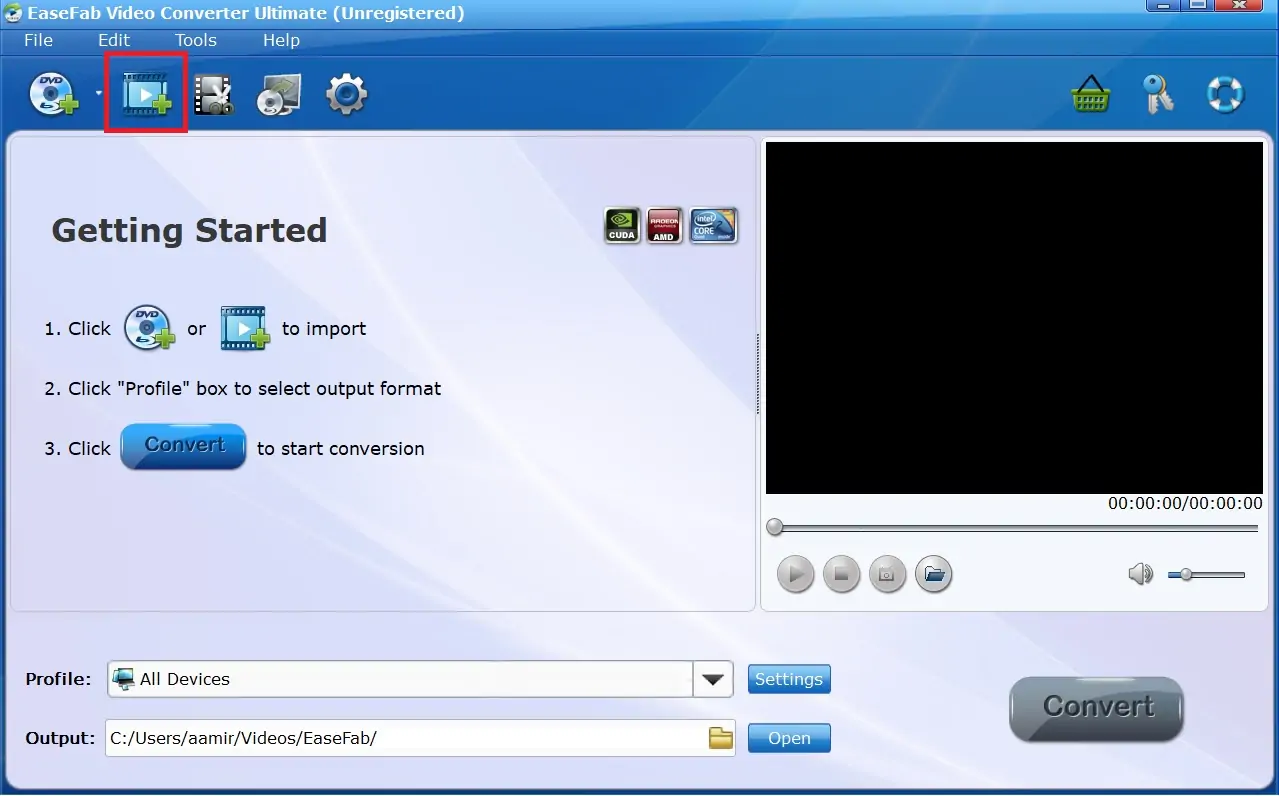
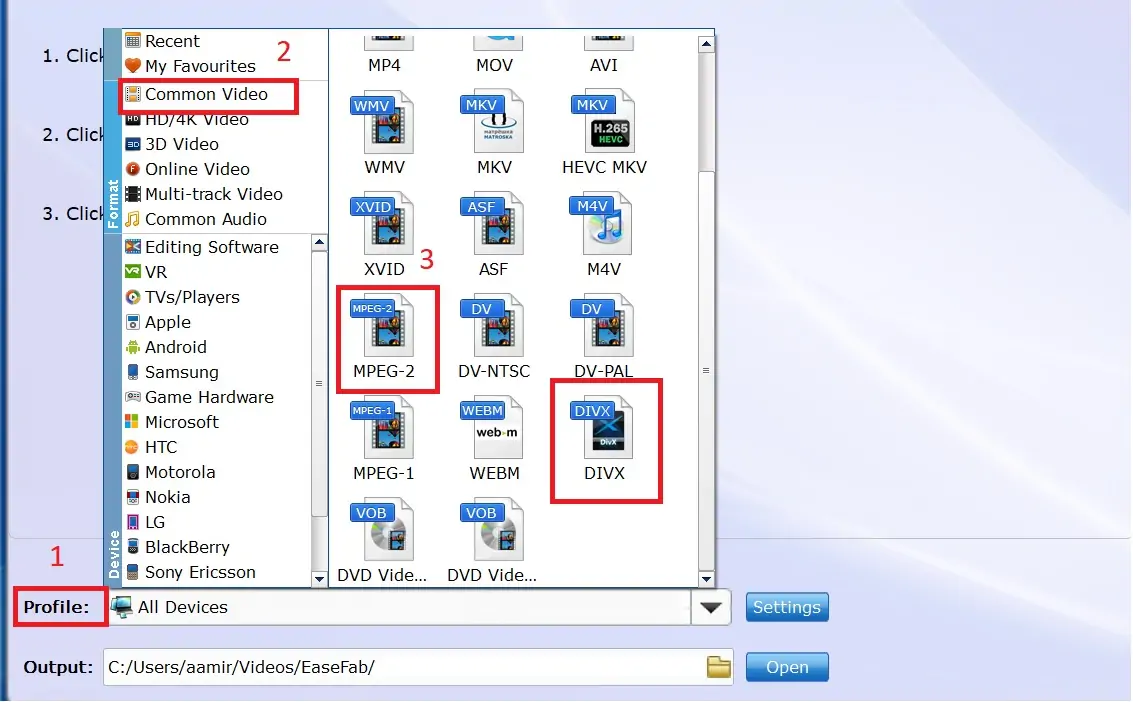
Step 3: Go to the Profile option and select Common Video from the available options, and select a video format that your DVD player supports. Usually, all DVD players support MPEG-2 and DIVX formats. You can choose MPEG-2 or DIVX from the available options.
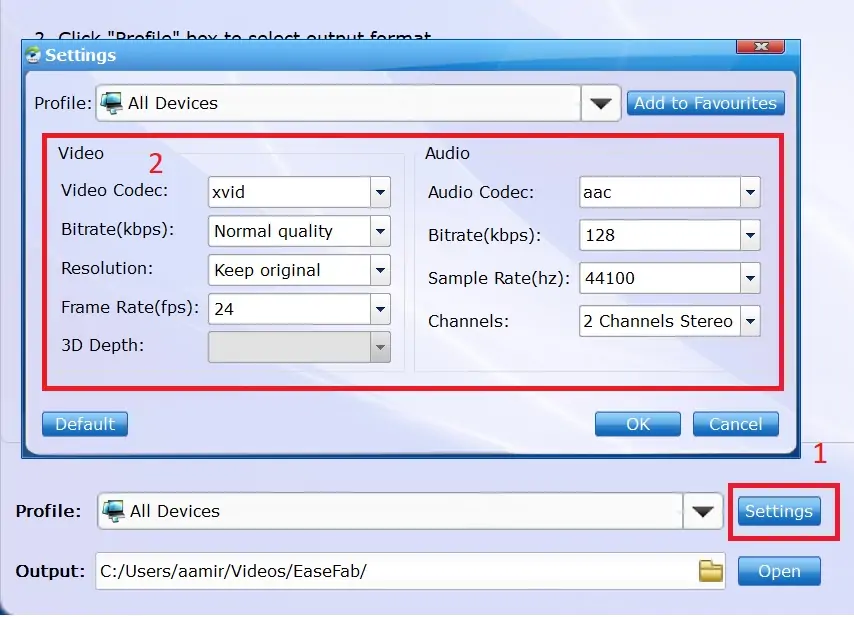
Step 4: You can also customize the resolution and bitrate of the output video from Settings.
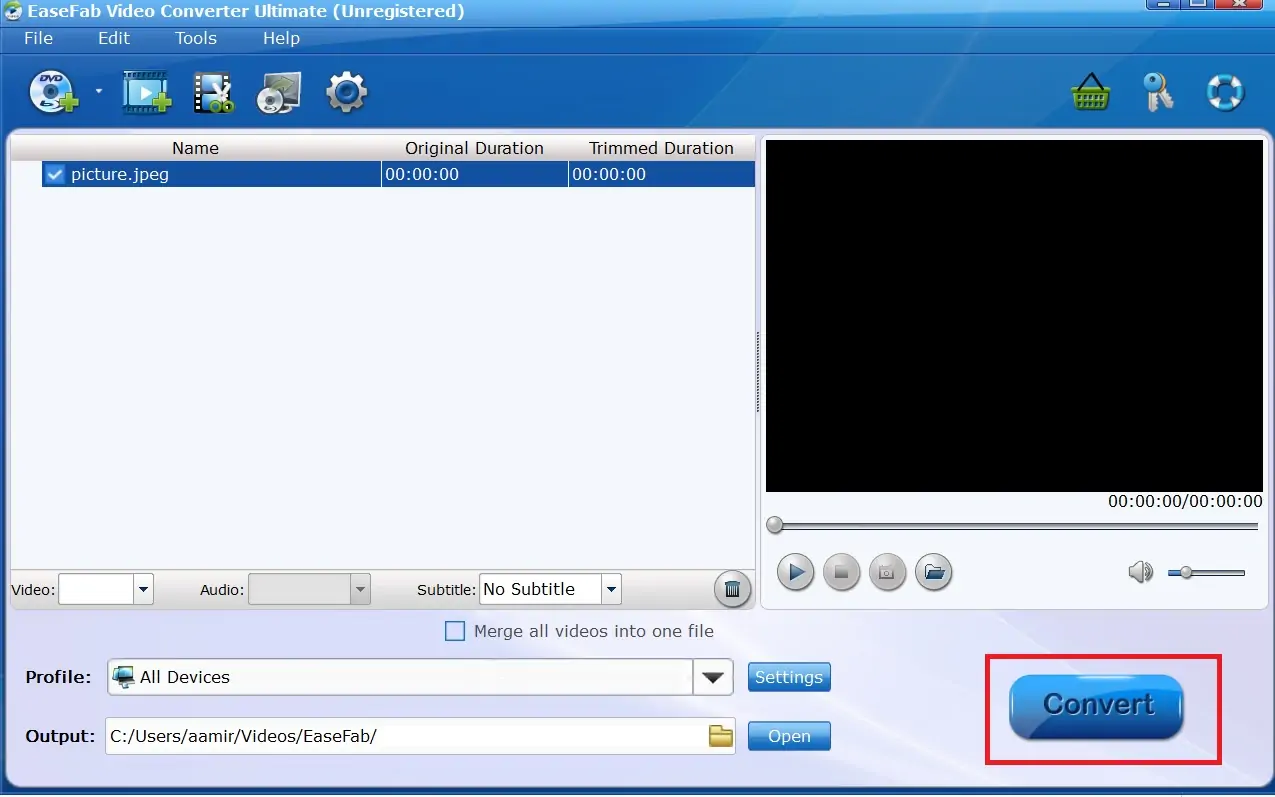
Step 5: Click the Convert button to start the video conversion process. You can copy the converted file to a USB and then plug the USB into the DVD player to play the converted MP4 file.
You can also use the above-listed method of burning an MP4 video to a DVD to play MP4 files on an unsupported DVD player.
Frequently Asked Questions
Q1. Which DVD player plays MP4?
The following DVD players support MP4 files;
- Panasonic – DMP-BD84P-K
- WONNIE – W-HD1106S
- MEGATEK – DP-260M55HD, DP-225M66HD
Q2. Why won’t my MP4 play on my DVD player?
Some DVD players do not support MP4 files, while others might support specific MP4 codecs. If your DVD player is not playing MP4, check whether it supports MP4 or different codecs of MP4. You can get this information from the technical manual of your DVD player or from the official website of the manufacturer of your DVD player.
Q3. Which DVD player plays all formats?
No DVD player supports all video/audio formats. Some DVD players, e.g., MEGATEK Region-Free DVD Player, claim that they support all formats. However, it does not support advanced codecs.
Q4. Can Sony DVD players open MP4?
Many models of SONY DVD players support MP4 files. Some SONY models support playing MP4 files from a USB, while some models do not support MP4. You can check whether a specific SONY model supports MP4 from its user manual or SONY’s website.
Q5. Can you put an MP4 on a car DVD player?
You can play MP4 files on a car DVD player if it supports the MP4 format. Most car DVD players now support MP4. If your car DVD player does not support MP4, you can convert the MP4 file to a format that your car DVD player supports.
Q6. Will MP4 play on a CD player?
No, CD players do not support MP4 files. They are designed to play audio CDs. If you want to play an MP4 video, you will need a DVD player.
Conclusion
In this article, we discussed in detail whether DVD players can play MP4 files or not. You learned that not all DVD players support MP4 files. Some DVD players support only specific codecs of MP4. You can check whether a DVD player supports MP4 or not from the user manual of the DVD player.
If you are unable to play an MP4 file on your DVD player, you can burn the MP4 file onto a DVD or convert the MP4 file to a format that your DVD player supports.