Blogs
MP3 vs MP4: What’s the Difference and Which One is Better
Introduction
In digital media,MP3 and MP4 formats are everywhere, but they serve different purposes. MP3 is for audio only, while MP4 holds audio, video, and more.
A common myth is that MP4 is just a newer or “better” version of MP3. In reality, the difference between MP3 and MP4 is more than just a number: MP3 is an audio-only format while MP4 is a container that can hold audio, video, images, and even subtitles. Which one you should use depends entirely on what you need the File for.
In this guide, we’ll:
- Explain what MP3 and MP4 actually are, including their pros and cons.
- Compare them side by side in a simple table.
- Answer the question “Is MP3 or MP4 better for me?” with examples.
- Show you how to convert MP4 to MP3 step by step with AhaConvert and a few other tools.
By the end, you’ll know exactly when to use MP3, when to use MP4, and how to switch between them.
What is MP3?
MP3 is short for MPEG-1 Audio Layer 3. It is a general-purpose digital audio format specifically designed for compressing sound audio files down to smaller file sizes while maintaining good sound quality.
- Use: MP3 is optimized for audio.
- Compression: It uses lossy compression, i.e., a few sound details are reduced to compress the File.
- Compatibility: MP3 is playable in almost any music player, smartphone, or media player.
Advantages
- Compact file sizes that achieve storage space reductions.
- Works seamlessly on nearly any device and platform.
- Easy to download and distribute because they are compressed.
Pros
- Poorer fidelity than lossless formats (such as WAV or FLAC).
- Not good for video or image storage — it’s voice only.
Example: 5 minutes of a track would approximately be 5 MB in MP3 and, in comparison, 50 MB in WAV.
What is MP4?
MP4 stands for MPEG-4 Part 14 and is amultimedia container format. While MP3 stands for a pure-form audio file format, MP4 can accommodate audio, video, images, and even subtitles in a single file. It is therefore one of the very flexible and popular formats of today’s media.
- Use for: The MP4 is saved for use in multimedia, not just audio, but video and other data.
- Compression: employs high-end compression algorithms (AAC for audio and H.264 or H.265 for video) in a trade-off in quality and file size.
- Compatibility: Backed by an overwhelming majority of players, cellphones, and streaming technologies.
Pros
- Saves audio and video at high quality in one File.
- Supports several tracks (audio, video, subtitles, chapters).
- Perfect for YouTube and Netflix streaming and social media.
- Effective compression reduces files below the size of raw video formats.
Cons
- Larger files than MP3 for audio-exclusive files.
- Editing and converting take longer due to their complexity.
- Requires compatible players to handle all functions (e.g., subtitles, metadata).
For instance, a 5-minute video recording of music saved in the MP4 file format can be 50–100 MB in size, and the audio in the MP3 file format would be around 5 MB.
Difference Between MP3 and MP4
At first glance, MP3 vs MP4 might look like two versions of the same format — but in reality, they’re very different. The easiest way to understand the difference between MP3 and MP4 is to remember:
- MP3 = audio-only format
- MP4 = multimedia container (audio + video + more)
Where MP3 focuses on compact, portable audio files, MP4 gives you the flexibility to store both audio and video in one package.
Comparison: MP3 vs MP4
| Feature | MP3 (MPEG-1 Audio Layer 3) | MP4 (MPEG-4 Part 14) |
|---|---|---|
| File Type | Audio compression format | Multimedia container format (audio + video) |
| Content Support | Audio only | Audio, video, images, subtitles |
| Compression | Lossy audio compression | Lossy or lossless (AAC, H.264, H.265, etc.) |
| File Size | Very small (e.g., 5 MB for a 5-minute song) | Larger (e.g., 50–100 MB for 5-minute video) |
| Quality | Decent but reduced compared to WAV/FLAC | High-quality video + audio |
| Compatibility | Universally supported on all devices | Widely supported, but some features may vary |
| Best For | Music, audiobooks, podcasts | Movies, video tutorials, streaming media |
Quick Takeaway:
- Choose MP3 if you only need lightweight audio that plays everywhere.
- Choose MP4 if you want both video and audio with good quality.
MP3 VS MP4: Which is Better?
There is no definitive answer to the question “Is MP4 or MP3 better?” It depends on what you are aiming at the File.
When MP3 Is Better
For audio and music files: MP3 compresses files at a small size without making the songs inaudible.
- For portability: It plays on any phone, car audio player, or media player.
- For Sharing: Easy to post, email, or transmit rapidly because the files are small.
Example: To store 500 songs in the phone without occupying storage space, the better option is MP3.
When is MP4 better
- For video files: The default for video tutorials and movies, and for YouTube uploads, is MP4.
- For multimedia projects: Includes audio, video, pictures, and subtitles in a single file.
- For streaming, Media Platforms like Netflix, YouTube, and TikTok primarily use MP4.
Example: If you’d like to view a music video or store an online course lecture, MP4 is best.
How to Convert MP4 to MP3
One of the first questions that arises after comparing MP4 and MP3 is: “How can you convert MP4 files to MP3?” The short answer is a categorical yes and very easy. The following are step-by-step procedures, including AhaConvert, which we highly endorse.
Method 1: How to Convert MP4 to MP3 through AhaConvert
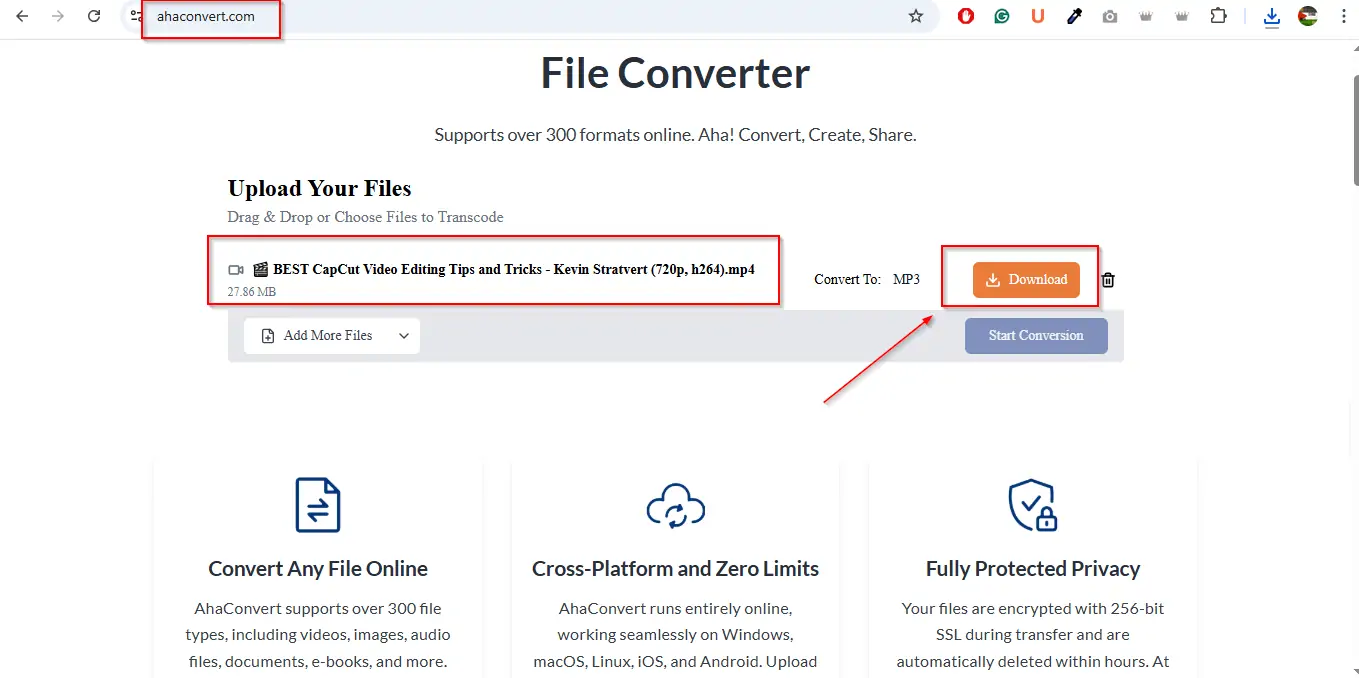
AhaConvert is a free web application that allows you to easily convert MP4 video files to MP3 audio files with just a few clicks. It’s speedy, safe, and no software installation is needed.
Steps:
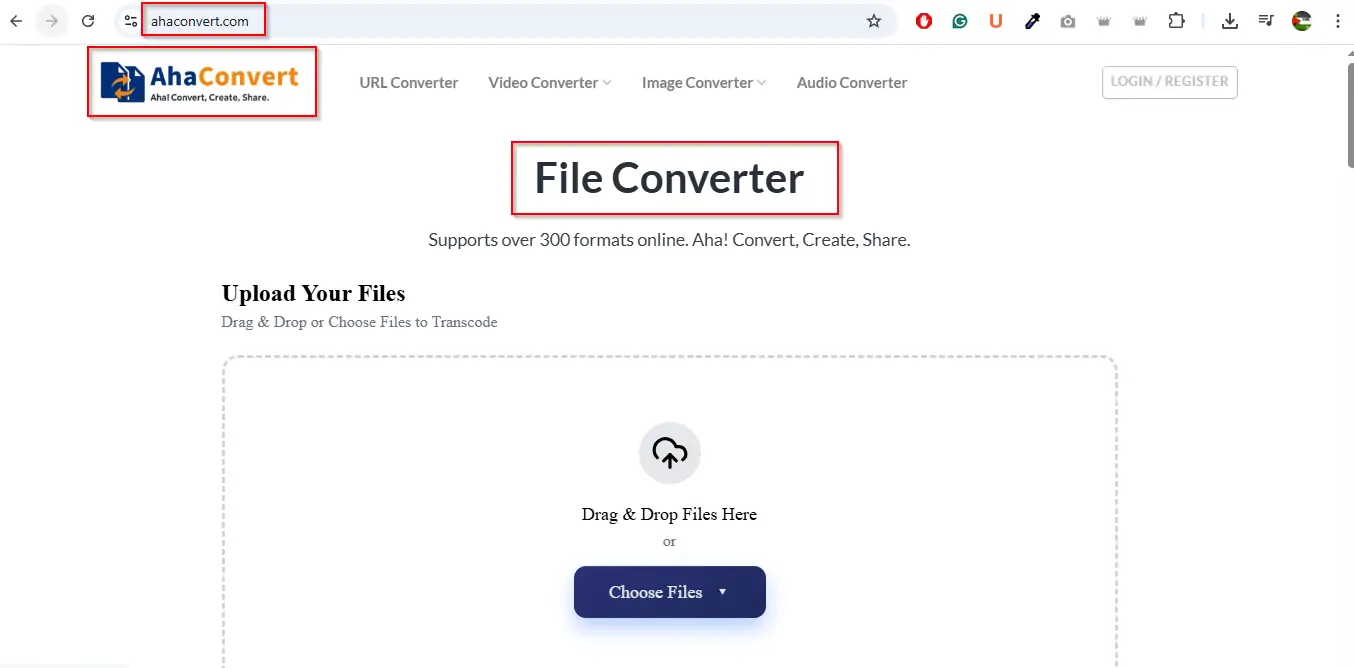
- Open AhaConvert in the web browser.
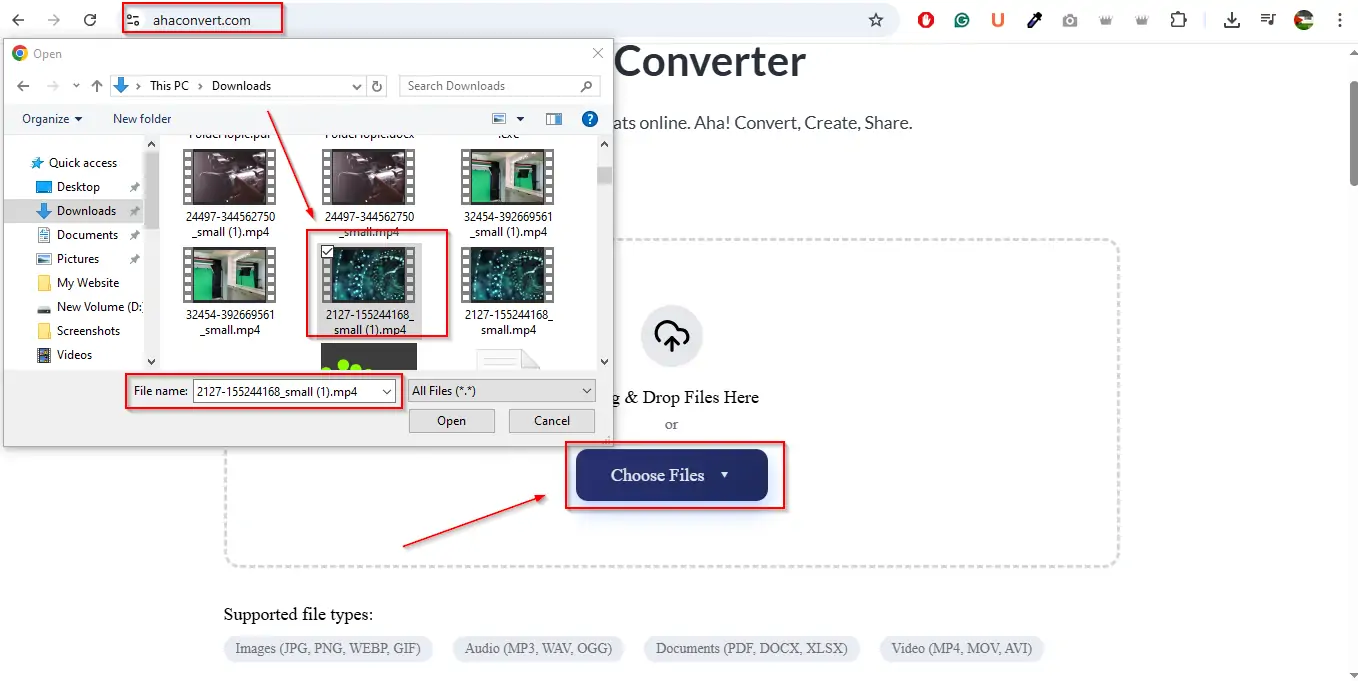
2. Choose the “Choose File” and add the MP4 video.
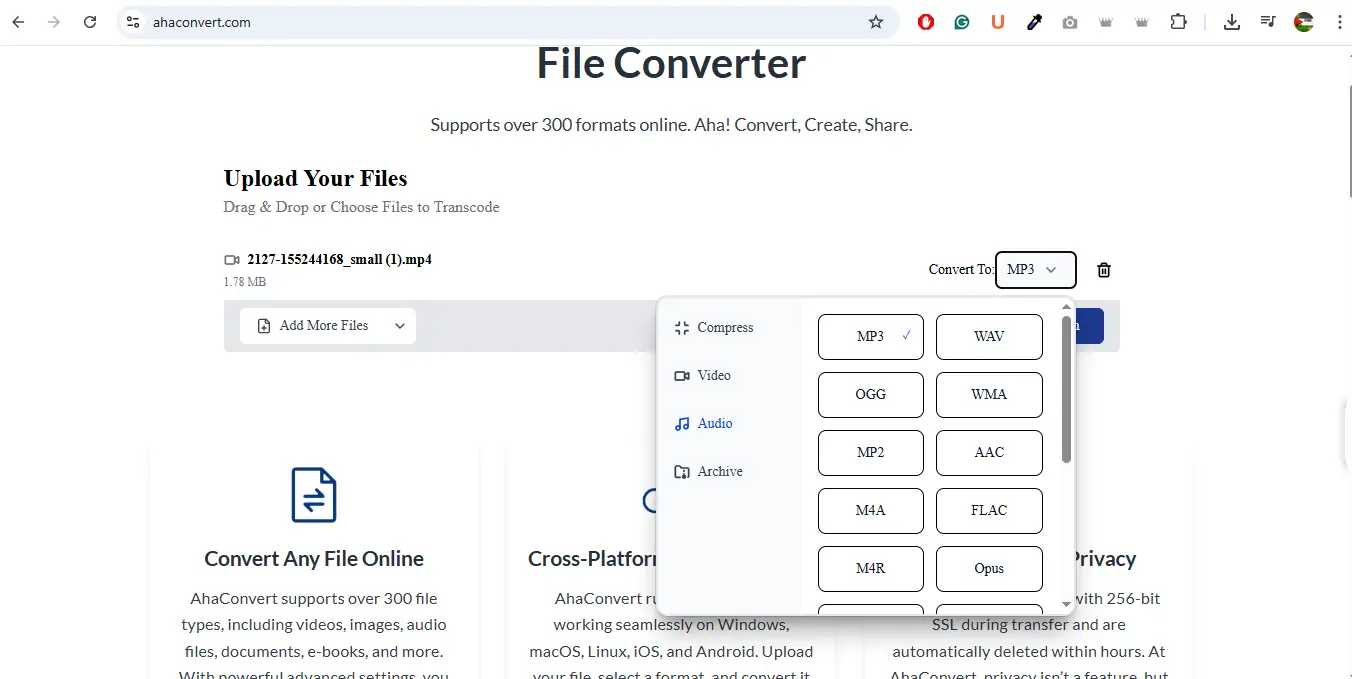
3. Choose “MP3” in the target format.
4. Press the “Convert”
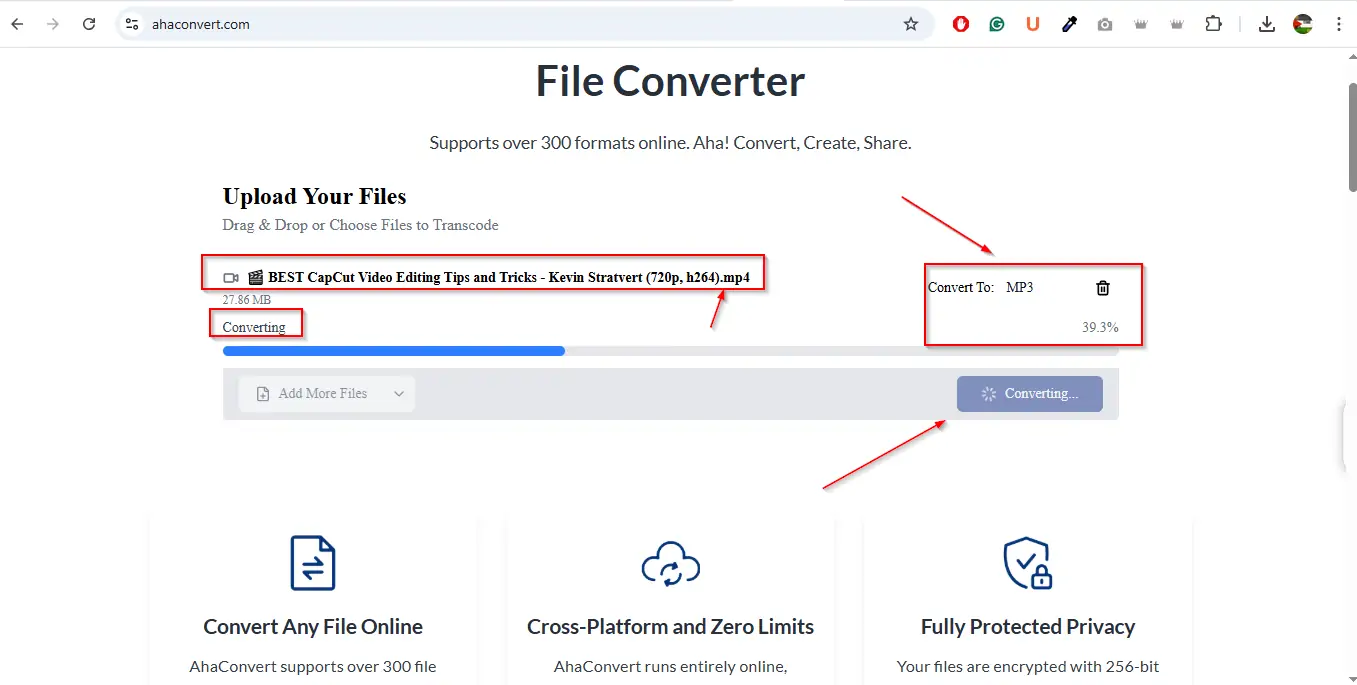
5. After the conversion, download the newly created MP3 file.
Why use AhaConvert?
- No signing up.
- Works across browsers and devices.
- Saves good quality audio while maintaining a low file size.
Method 2: Convert MP4 to MP3 with Audacity (Advanced Users)
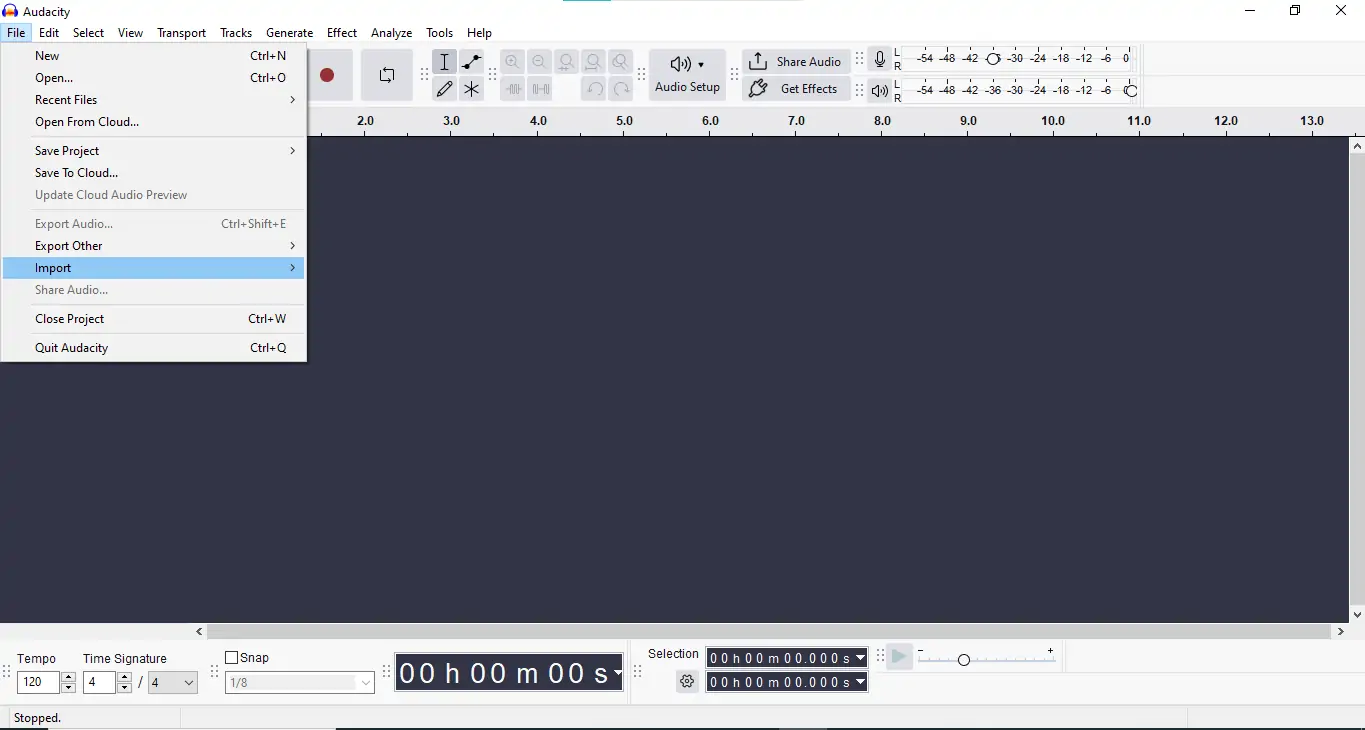
Audacity is a free audio editor that can import video files and export the audio as MP3.
Steps:
- Open Audacity and import your MP4 file.
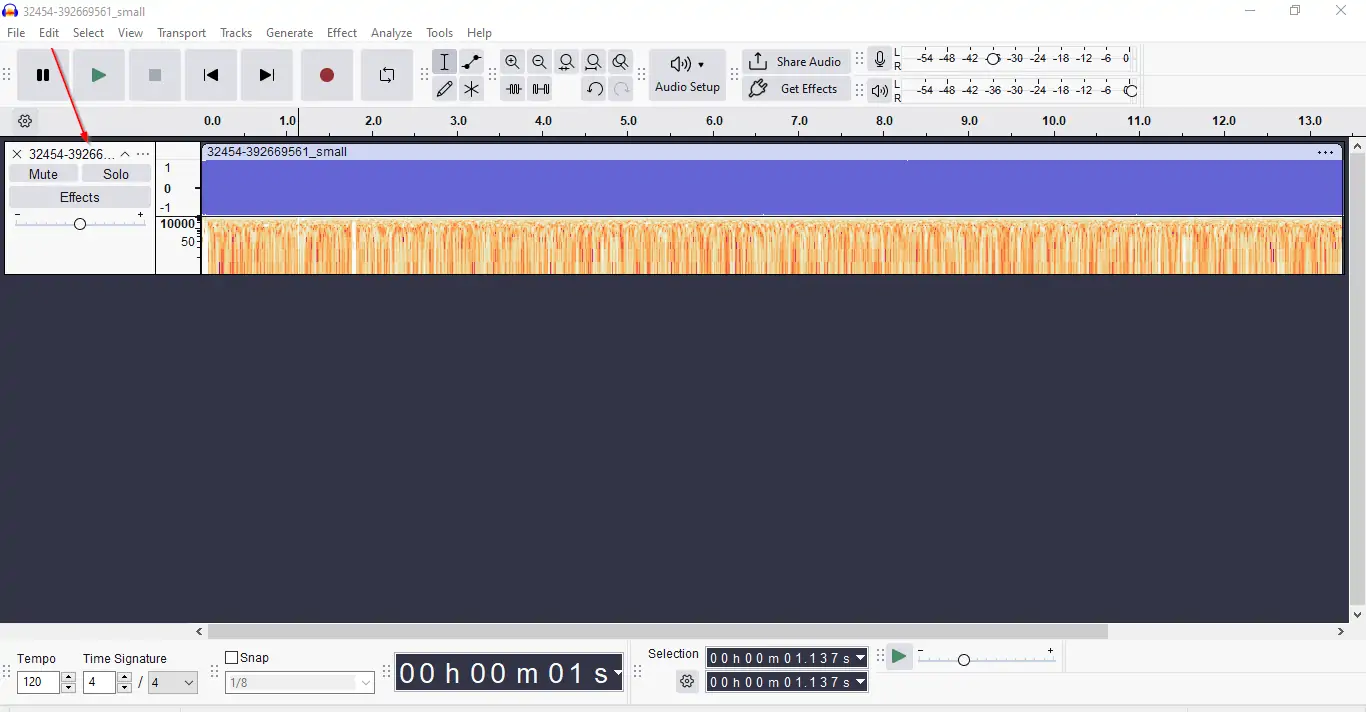
2. Wait for the audio track to load.
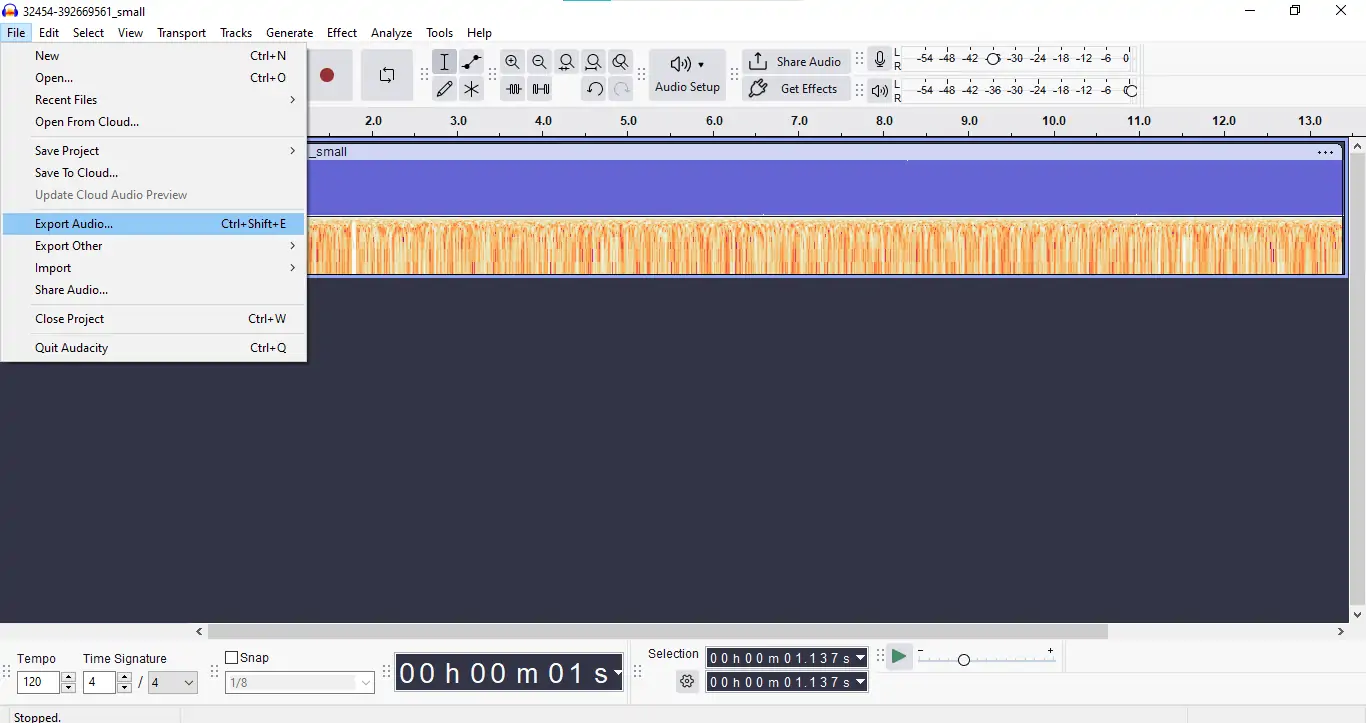
3. Go to File> Export > Export as MP3.
4. Choose your settings and export the File.

Method 3: Online Alternative Options
If you prefer more variety, this software also works very well:
Note: Be sure to check file size restrictions and refrain from suspicious websites, which can compromise your privacy.
Conclusion
The important point here is straightforward:
- MP3 is a lightweight and highly portable audio format best suited for music, podcasts, and audiobooks.
- MP4 is a multimedia file format for audio and video and is therefore a suitable format for movies, video instructions, and video streaming.
Is MP4, therefore, superior to MP3?
- For audio-only needs → MP3 wins.
- For multimedia flexibility →MP4 wins.
And should you need to change formats at any point, software such as AhaConvert allows one to convert MP4 to MP3 while maintaining high quality readily.
Ultimately, the best formatting is dependent upon use case, but you’ll now officially know how to make the decision.
Frequently Asked Questions
1. How do you convert MP3 to MP4?
Yes, but you won’t have video while converting MP3 to MP4. You’d need to package the MP3 along with an empty or custom video track.
2. Does the MP4 to MP3 format reduce quality?
Indeed, a certain quality is lost in converting because MP3 employs lossy compression. But for the average ear, the difference is not too prominent.
3. What is a better stream format?
MP4 is the universal format for video and audio streaming websites like Netflix and YouTube because it supports video and audio.