Blogs
M4A vs MP3: Is M4A Better Than MP3 for High-Quality Audio?
Have you ever downloaded a song only to find that its format is incompatible with your device? Choosing the correct format has always been challenging for most of us. What’s more? We want small file sizes with high-quality sound. Maintaining both of these can bring complexities. That’s where we deal with MP3 and M4A.
👉🏻So you might think, are M4A and MP3 the same? The short answer is no. But the reason is interesting.
In this blog, we will explore:
- Key Factors in Audio Formats
- What Is M4A?
- What Is MP3?
- Common Use Cases for M4A and MP3 Audio Formats
- M4A vs MP3: Side-by-Side Comparison
- Is M4A Better Than MP3?
- How to Convert M4A to MP3 and Vice Versa
Let’s begin.
Key Factors in Audio Formats
In simple terms, audio formats are the digital containers that hold sound data. A format affects both the listening experience and storage usage. Several factors determine the format of your audio files. Let’s explore them:
Compression Method
Different formats use different compression methods. M4A and MP3 use a lossy compression method. In a lossy compression method, some data is deleted permanently to achieve a smaller file size.
- MP3 uses an outdated yet highly compatible compression model.
- MP4 utilizes an advanced and modern compression model, employing the Advanced Audio Coding (AAC) codec.
Bit Rate
Bit rate is defined as the number of bits processed in a given period of time. Audio units are typically measured in kilobits per second (kbps).
A higher bit rate means that more data is used to show the sound.
For example, a file encoded at 320 kbps contains significantly more information than a file encoded at 128 kbps.
A higher bitrate, therefore, yields better sound quality. However, it also increases the file size at the same time.
The typical bit rates of m4a and mp3 range from 128 kbps to 320 kbps.
Sampling Rate
The number of audio samples that are taken per second is called the sampling rate or sampling frequency. We measure it in Hertz (Hz) or kilohertz (kHz).
Standard rates are either 44.1 kHz, equivalent to CD quality, or 48 kHz, comparable to DVD quality.
A higher sampling rate gives a more accurate copy of the original sound wave in analog. Thus, higher rates provide better high-frequency sound and overall quality.
To understand how compression affects formats like WAV or MP3, refer to this WAV vs. MP3 comparison for more insights.
What Is M4A?
M4A format means MPEG-4 Audio. It is a file name extension for audio files that are either encoded in Advanced Audio Coding (AAC) or Apple Lossless Audio Codec (ALAC).
👉🏻What is the difference between MP4 and MA4?
MP4 is a video format. However, M4A is the sound version of the MP4 format. The M4A is a format created by Apple as part of the MPEG-4 standard. They promoted it widely through iTunes and their iPods. They made it as a replacement for the old MP3 format. The primary difference is that it features superior compression technology.
What Is MP3?
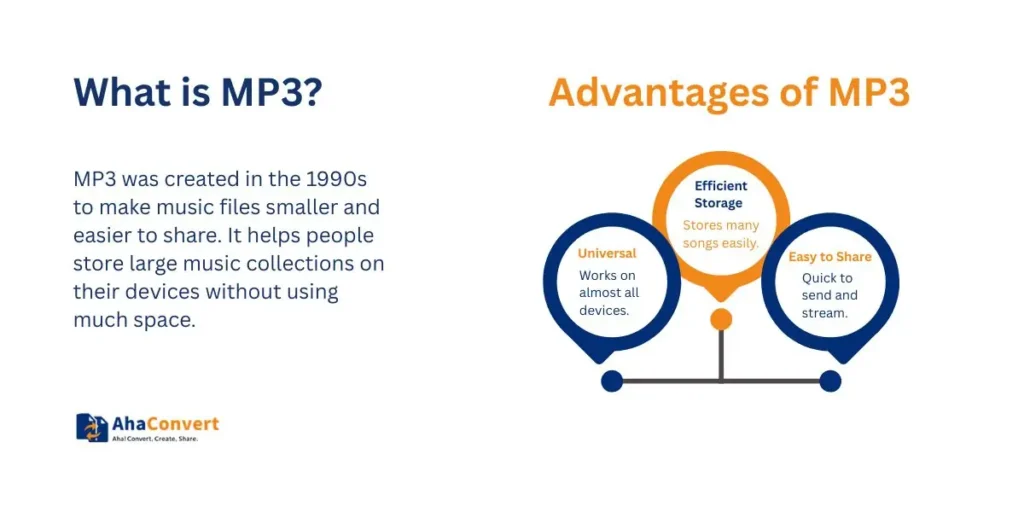
The MP3 format is short for MPEG-1 Audio Layer 3. Engineers standardized it in 1993. This makes it an old format in digital audio. It was the first format that gave almost CD-quality sound. This was done at a much smaller file size.
MP3 uses lossy compression. The algorithm removes sounds that are usually inaudible to the human ear. Such an approach significantly reduces the file size.
Common Use Cases for M4A and MP3 Audio Formats
Choosing the best audio file format depends entirely on your needs. Are you more focused on the best quality? Or do you need the most compatibility? Let’s look at common audio use cases and the suggested format.
| Use Case | Recommended Format | Why |
|---|---|---|
| Listening (High Quality) Music | M4A | Higher quality, smaller size sound |
| Podcasts and Audiobooks | MP3 | Widely supported and lightweight |
| iTunes and Apple Ecosystem | M4A | Native Apple format |
| Cross-Platform Sharing | MP3 | Works with any system or media player |
Newer apps, such as VLC, Amazon Music, and most modern browsers, support both formats. But for accurate universal playback on older devices or car audio systems, MP3 is the safest option.
M4A vs MP3: Side-by-Side Comparison
To understand the differences clearly, the technical features should be compared side by side. As you will see, M4A is the technically better format. Still, MP3 has kept the compatibility title.
| Feature | M4A | MP3 |
|---|---|---|
| Compression Type | AAC/ALAC | MPEG-1 Layer 3 |
| Audio Quality | Better at Same Bitrate | Lower at Same Bitrate |
| File Size | Smaller | Slightly Larger |
| Compatibility | Modern Devices | Almost All Devices |
| Metadata Support | Better | Basic |
| Ideal For | Apple Users, Music Lovers | Universal Playback |
M4A is the right choice if sound quality is your top priority. At 128 kbps (or 192 kbps), the AAC format can easily sound as good as an MP3 file of a much higher bitrate. That means a smaller file with improved sound quality. It is the ideal choice for creating a high-quality, space-saving digital music library.
The mix of broad and straightforward support makes MP3 a good choice too. Perhaps you are sending a file to someone with an older device. Alternatively, you may need to use audio in a device that has limited format support, such as some car players. In such situations, the MP3 format is the only sure option. The legacy of MP3 is strong. This makes it perfect for sharing across platforms.
Is M4A Better Than MP3?
M4A is clearly better in technical details. However, in real use, there are still good reasons to give MP3 an advantage.
Sound Quality Analysis
M4A wins in sound quality. The Advanced Audio Coding (AAC) format is more modern and efficient than MPEG-1 Layer 3. This efficiency allows M4A to be more accurate than an MP3 file of the same bit rate.
Compression Efficiency
M4A is also the most efficient in compression. M4A can make smaller file sizes, and the quality level can be higher. This is a crucial point for cloud storage and mobile devices, as space is often limited in both cloud and mobile storage. This makes M4A a wise choice for long-term storage.
Compatibility Consideration
There is no doubt that MP3 is the king of compatibility. Although the level of M4A support has increased significantly, it is safe to assume that an MP3 file will be playable on any device or program created within the past 20 years. When you prioritize easy access, an MP3 is a more suitable option.
If you are planning to move music to an MP3 player, you can follow this easy guide on how to download music to an MP3 player. It explains each step simply.
How to Convert M4A to MP3 and Vice Versa
The following is your basic step-by-step process:
Open your web browser. Next, visit the AhaConvert Audio Converter website. The web app is compatible with all platforms.
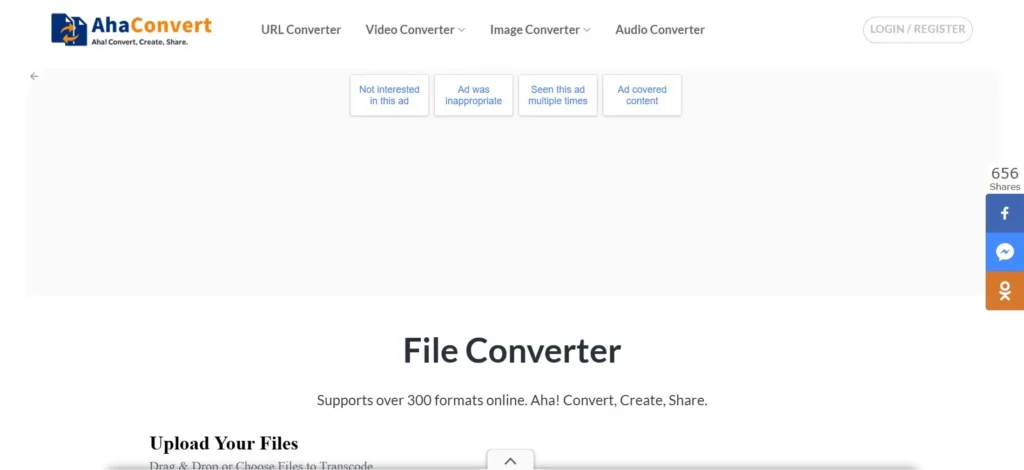
Scroll down a bit, and then you will see this type of interface.
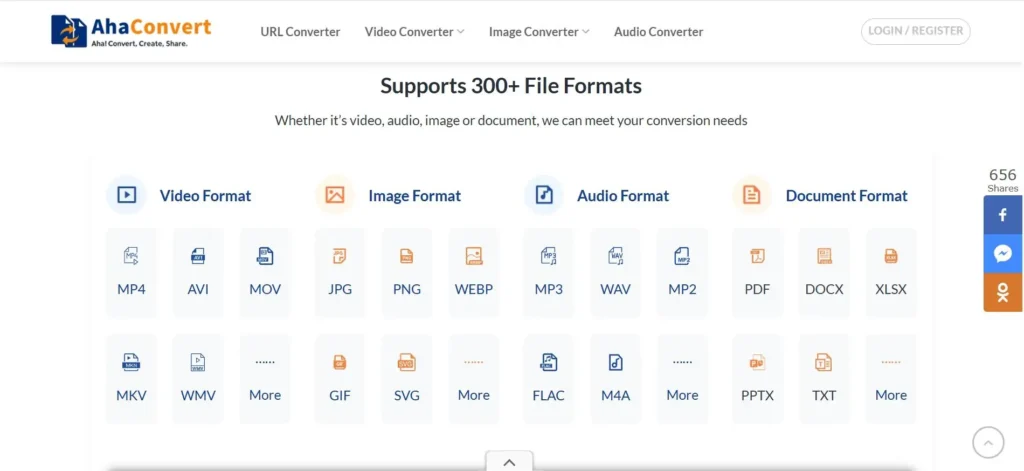
After that, see “Audio Format”
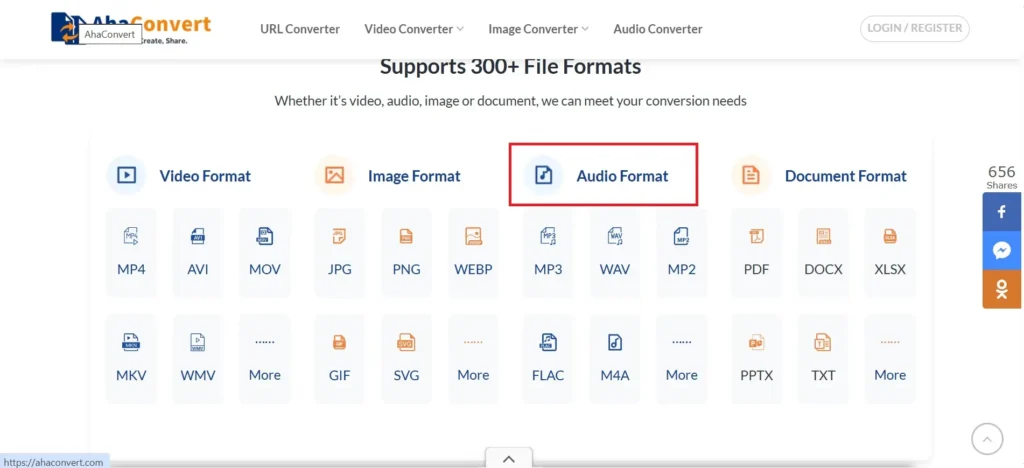
And click on M4A.
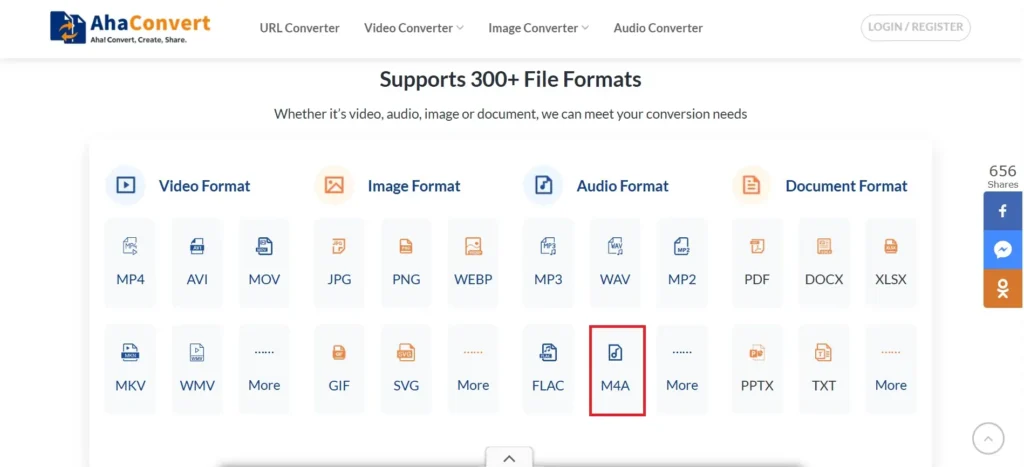
Scroll down a bit and check the formats.
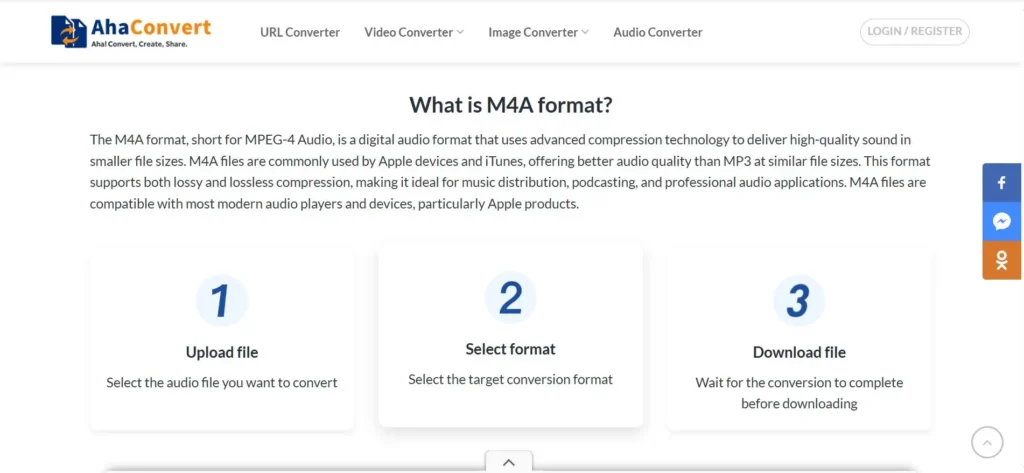
Select Target Format
Choose the file format you want to change it to, either MP3 or M4A, based on your needs or preferred format.
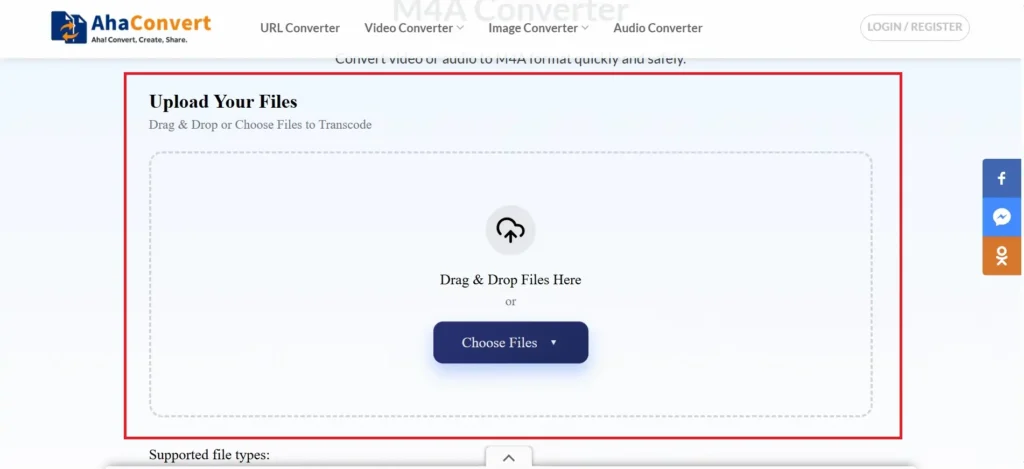
There are three types when you choose a file.
- You can choose it from the device
- From URL
- You can add folders.
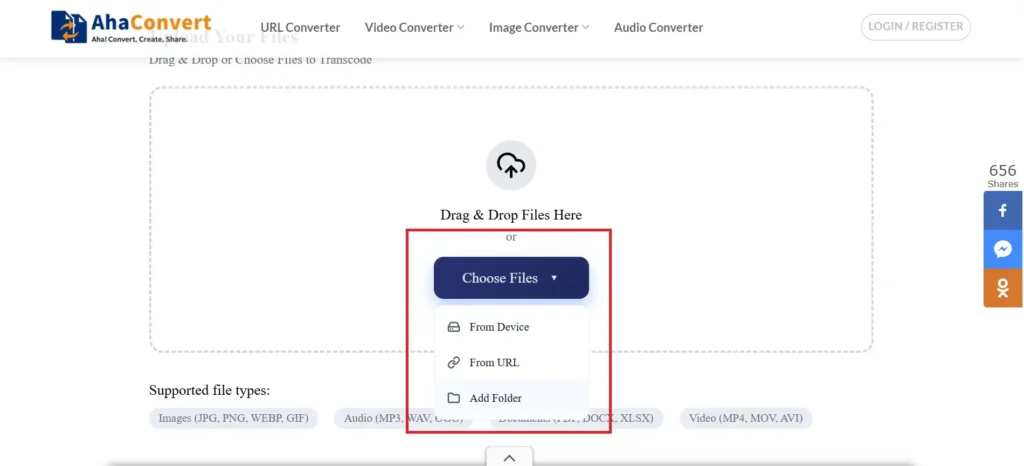
Adjust Settings
Adjust all the settings, including bitrate, rate, and sound quality, as desired. These options let you control the balance between file size and sound quality.
Convert
Choose your file type.
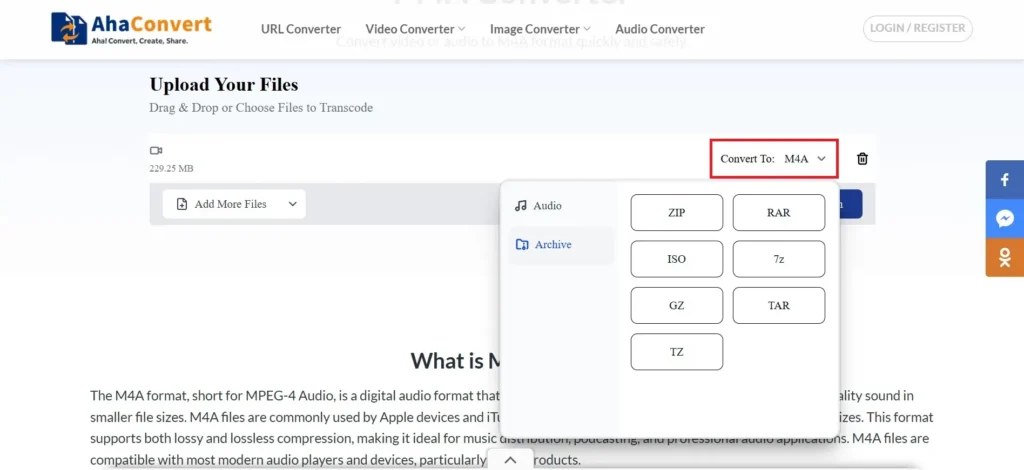
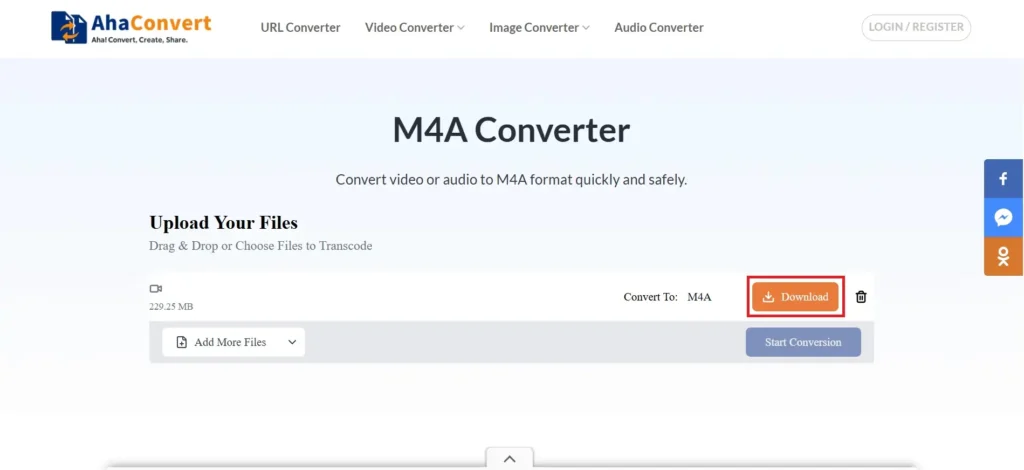
Click the convert button to start the process.
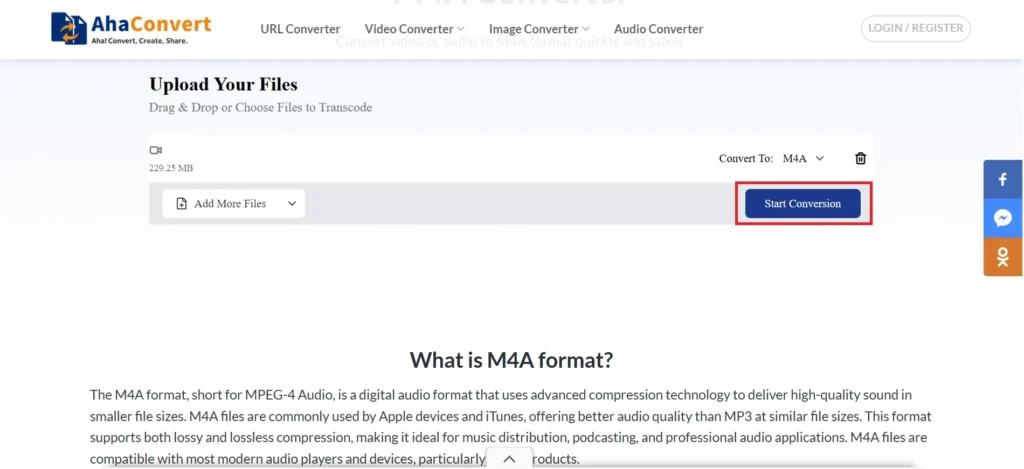
The conversion takes a few seconds, depending on the file size.
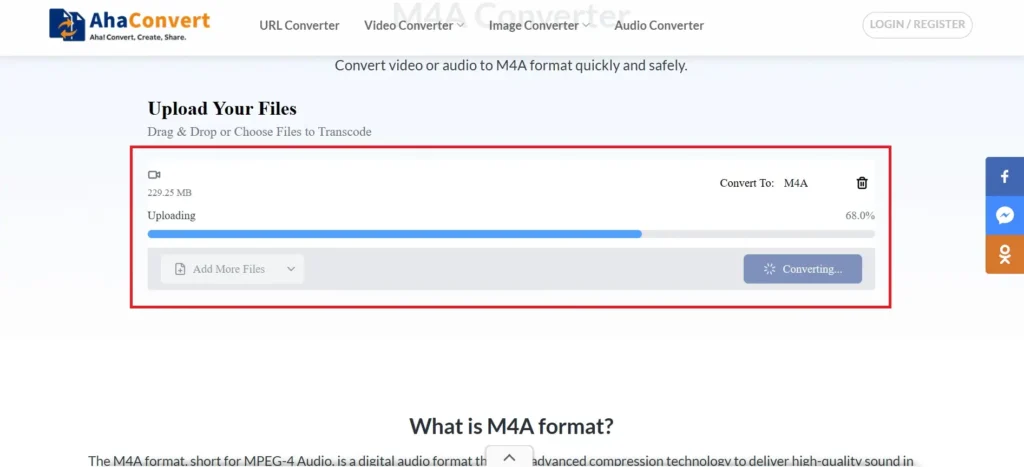
Download
At last, click on the download button. Your music is ready.
If you are using DVD players or old media systems, check out this blog.DVD players can play MP4 files. It helps you understand compatibility better.
Final Thoughts: Choosing Between M4A and MP3
We have made a clear difference. M4A wins the technical side over MP3. It gives better compression and sound quality with similar bitrates. It is the modern format. MP3, however, is the winner in compatibility. It is the reliable classic.
M4A is recommended for high-quality music storage and personal use. To share a podcast, load an old flash drive, or connect with everyone, then choose MP3. Know your purpose. At that point, the decision is clear.
FAQs
Should I Convert M4A to MP3?
It is only necessary when you require additional compatibility. This could be an old car stereo or a straightforward MP3 player. Otherwise, save your files in M4A. The M4A format retains high-quality sound and optimal compression performance.
Is MP3 Outdated Now?
Not exactly. Newer formats such as AAC (in M4A) and Ogg Vorbis are technically better than it. Still, the digital audio standard is MP3. It remains the most widely compatible format in the world.
Do You Lose Quality When Converting M4A to MP3?
Yes, a little. Both are lossy formats. The process of converting them is called transcoding. It is accomplished by decompressing the M4A file and then re-compressing it as an MP3 file. This second compression step may result in a slight loss of quality.
What Format Does Spotify Use?
Spotify streaming is done in the Ogg Vorbis format. It does not use MP3 or M4A. Another lossy compression format, which is very efficient, is Ogg Vorbis. It has a similar ability to AAC.
Can I Play M4A Files on Android?
Yes. M4A is supported in all new devices running Android. Additionally, Android-based media players, such as VLC and PowerAmp, can easily play M4A files.
What Is the Difference Between MP4 and MP3?
MP4 is a multimedia file type. It is mainly used in video. It can also contain audio. MP3 is a format that is only audio-based. It uses an older compression method. The audio-only file type is M4A. It is based on the current AAC format in the MP4 container type.
Convert your audio files now with AhaConvert and enjoy easy and high-quality file management.