Bloguri
Ce este un fișier FLAC? Ghidul complet pentru sunet fără pierderi
Let’s suppose you put on a favorite symphony or a bass-heavy electronic track. Even with high-end headphones, something feels off. The highs come across harsh, and the bass lacks real depth. This moment often leads listeners to ask what a FLAC file is and why sound quality changes.
This happens because formats like MP3 remove data to save space. You are hearing a reduced version of the original recording. A FLAC file preserves every detail.
This guide walks through high-fidelity audio in clear terms. It explains the FLAC meaning and why audiophiles trust it. You will also learn how to open, convert, and use FLAC files with confidence.
What Is FLAC?
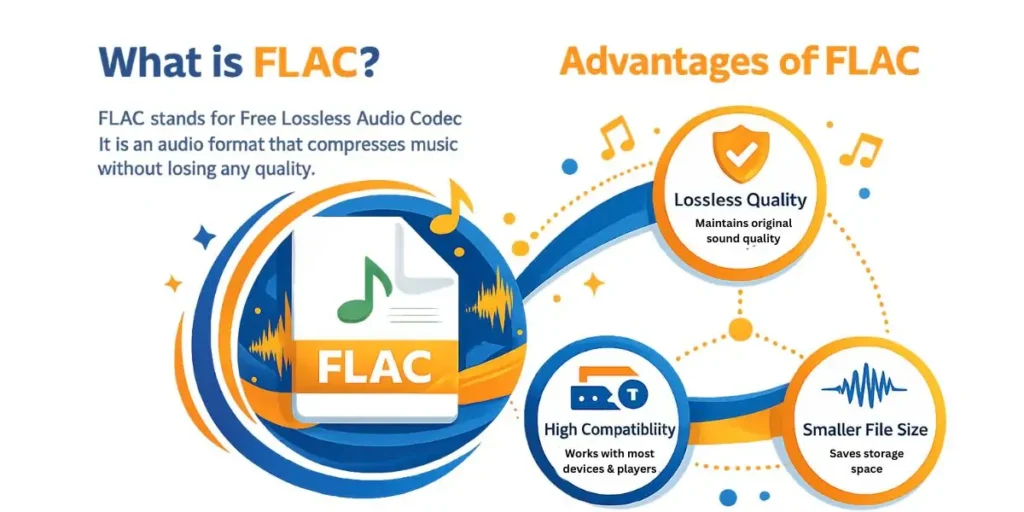
To understand what a FLAC file is, start with the name. Many people ask what FLAC stands for, and the answer is Free Lossless Audio Codec. The name explains both how it works and why it matters.
Lossless is the key idea behind the format. Unlike MP3, FLAC never throws away audio data. It shrinks file size while keeping the sound exactly as recorded, which often leads people to ask FLAC what it is really doing differently under the hood.
Think of it as a ZIP file for music. When you unpack it, every bit of the original audio returns. That clarity explains what the FLAC audio format is and why it works so well for long-term archives.
Free means the format is open-source and patent-free. Anyone can build players, tools, or converters without restrictions. That openness helped FLAC become the most widely used lossless format worldwide.
For listeners who care about detail, this difference is easy to hear. Subtle textures, clean highs, and deep lows stay fully intact. That is why many collectors store masters and libraries in FLAC.
Technical FLAC Meaning And Architecture
When we talk about the FLAC file type, we are talking about math, not shortcuts. The encoder studies raw audio waves and predicts upcoming samples. It then stores only the difference between that prediction and the real signal.
This approach cuts file size by roughly 50-70% compared to a CD. When playback starts, the decoder runs the math in reverse. The result is a bit-for-bit match with the original recording.
People often ask, “What is the bit depth it supports?” FLAC handles up to 32 bits per sample with very high sampling rates. That goes well beyond standard compact disc quality.
FLAC is also non-proprietary, which matters more than it sounds. It supports rich metadata stored directly inside the file. You can include album art, artist names, track details, and lyrics.
All of this is presented in a clean, well-documented format. Nothing is hidden or locked behind a vendor. That design makes FLAC reliable for long-term audio archiving and serious listening.
FLAC Pros And Cons
Choosing the FLAC audio format is a storage-versus-fidelity decision. The format helps to keep the original audio data intact, so files take up more space. That trade-off is worth understanding before you convert a whole music library.
The Pros
- Zero Quality Loss:You get the same audio that left the studio, nothing stripped out.
- Space Efficient:It cuts file size down compared to WAV or AIFF without losing data.
- Excellent Metadata:Track info and album art are handled cleanly, unlike basic WAV files.
- Future-Proof:The open format ensures FLAC files remain readable over time.
These strengths make FLAC popular with listeners who care about accuracy. It preserves dynamic range, detail, and depth without compromise. For archiving or serious listening, that matters.
The Cons:
- File Size:FLAC files are still about ten times larger than a standard MP3.
- Device Support:Some older car stereos or budget players cannot play them.
- Apple Issues:iTunes and older iPhones favor ALAC instead.
If you have plenty of hard drive space, the pros usually win. On a 16GB phone, storage fills up fast. For home listening, FLAC remains the stronger choice.
Why Should I Choose FLAC Over Other Audio Formats?
You might ask why MP3 or WAV is not enough. The real difference comes down to sound quality and long-term use. That balance is precisely what a FLAC file is built for.
WAV files store audio without compression. That keeps quality high but wastes a lot of disk space. They also handle metadata poorly, which makes libraries messy.
FLAC keeps the same studio-level quality as WAV. It simply compresses the data more innovatively. The result is smaller files with no loss of sound quality.
MP3 takes a very different approach. It removes parts of the audio to shrink the file size. On good speakers, that missing detail is easy to hear.
FLAC does not guess what you can or cannot hear. Every frequency stays intact. That is why music feels fuller and more natural.
Feature Comparison
| Caracteristică | FLAC | MP3 | WAV |
|---|---|---|---|
| Comprimare | Lossless | Lossy | Uncompressed |
| Calitate | Identical to studio | Reduced | Identical to studio |
| File size | Medium | Small | Large |
| Metadata support | Excellent | Good | Poor |
Using FLAC keeps your music library future-proof. You can always convert FLAC files to MP3 for casual listening. You cannot recover lost quality once an MP3 is created.
How To Open A FLAC File
Opening FLAC files is simple on modern systems. Native support is now common across platforms. You rarely need specialist audio tools to begin.
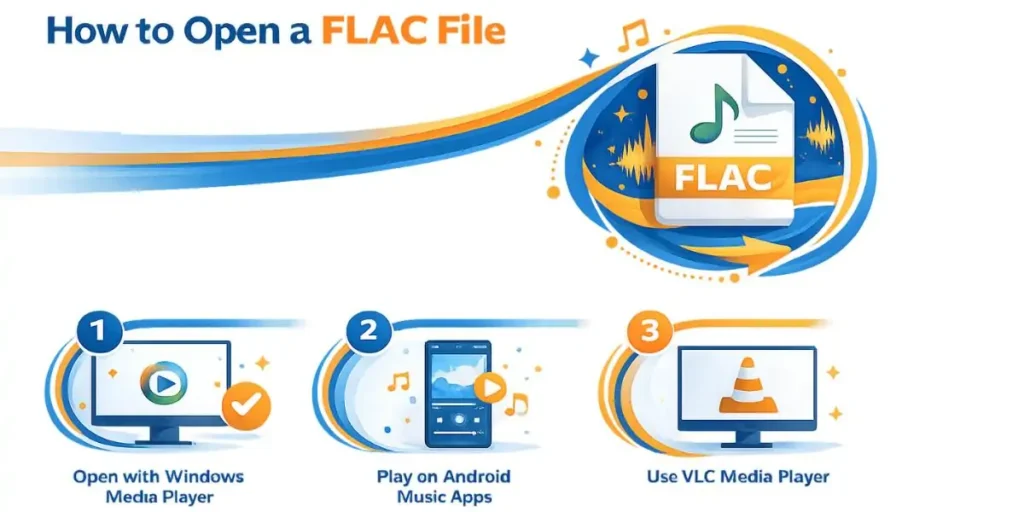
On Windows 10 and Windows 11, the built-in Media Player opens FLAC files cleanly. Double-click the file, and playback starts. VLC Media Player is a solid free alternative everywhere.
On Android, most music apps can play FLAC files without issues. Copy the files to internal storage. The system automatically scans and adds them.
Apple systems need a small workaround. QuickTime and older Apple Music builds may not play FLAC. Use VOX or Elmedia Player instead.
How To Convert A FLAC File
Sometimes you need to convert a FLAC file into another format. Your car stereo might only support MP3. You might also want smaller files on your phone.
The simplest option is a reliable online tool. AhaConvert lets you convert FLAC audio in seconds. You skip heavy installs and keep your system clean.
The process is direct and technical, without extra steps. Each stage handles one straightforward task. You keep control over the final result.
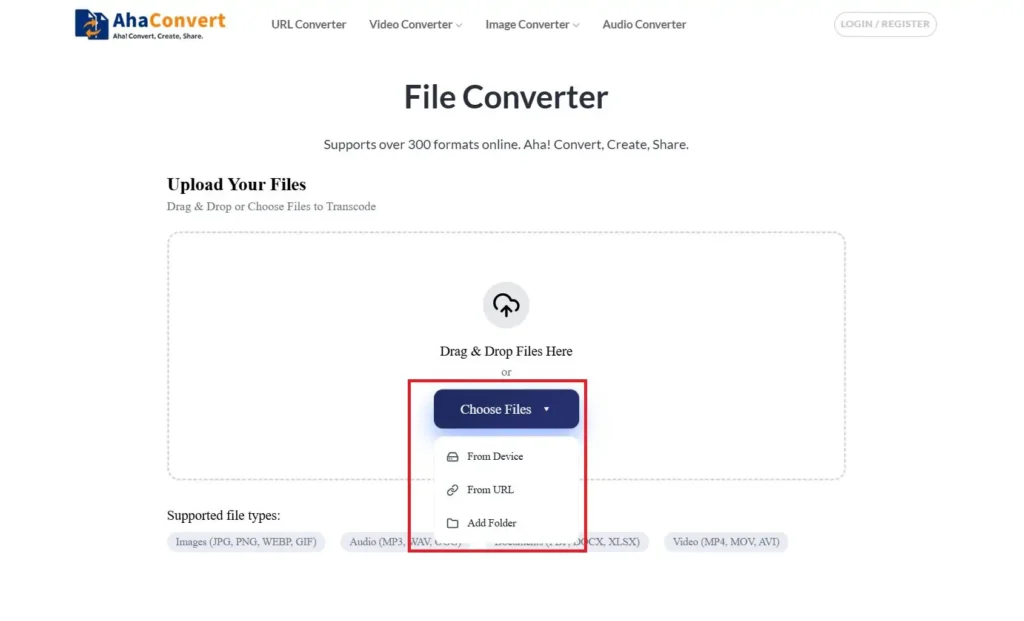
- Open AhaConvert Audio Converter and drag your FLAC files onto the page.
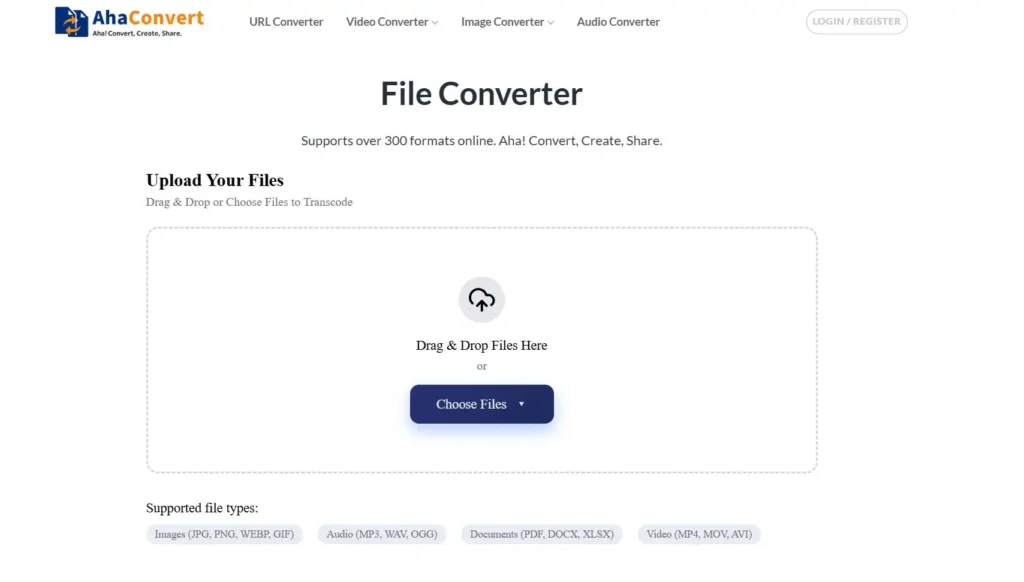
You can choose from the following options to drop a flac file:
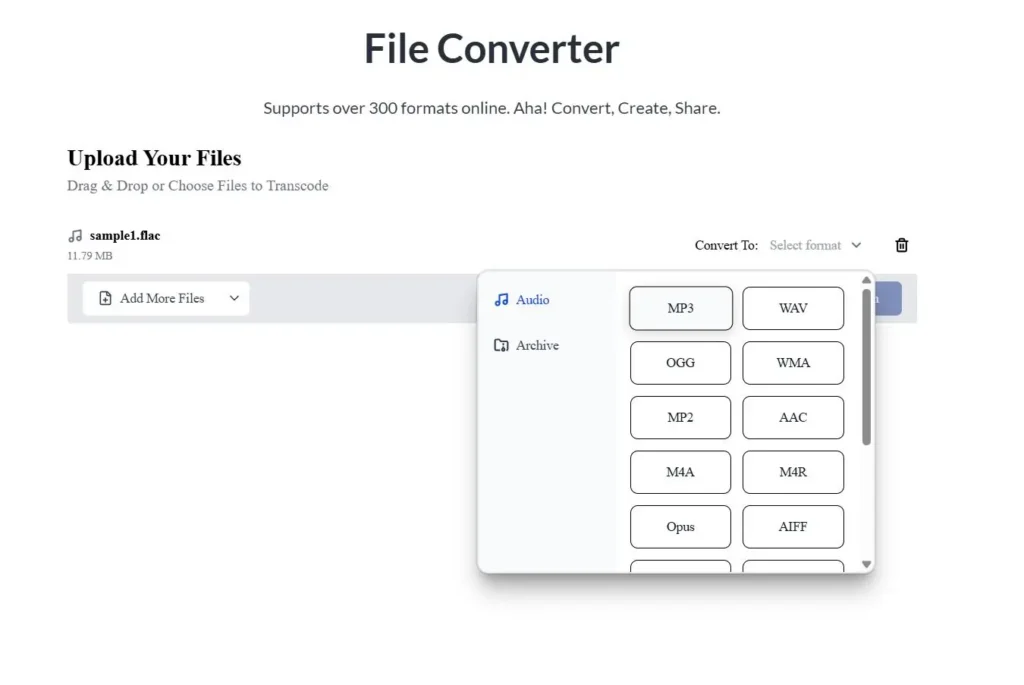
2.Choose a format like MP3 and let the conversion run.
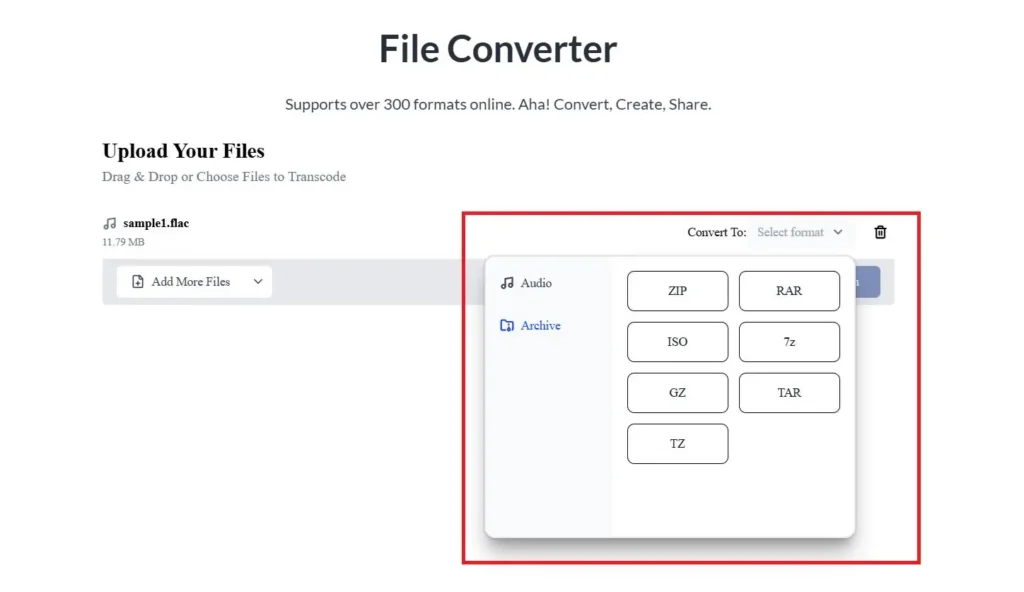
More conversion formats:
Click on the “Start Conversion” button:
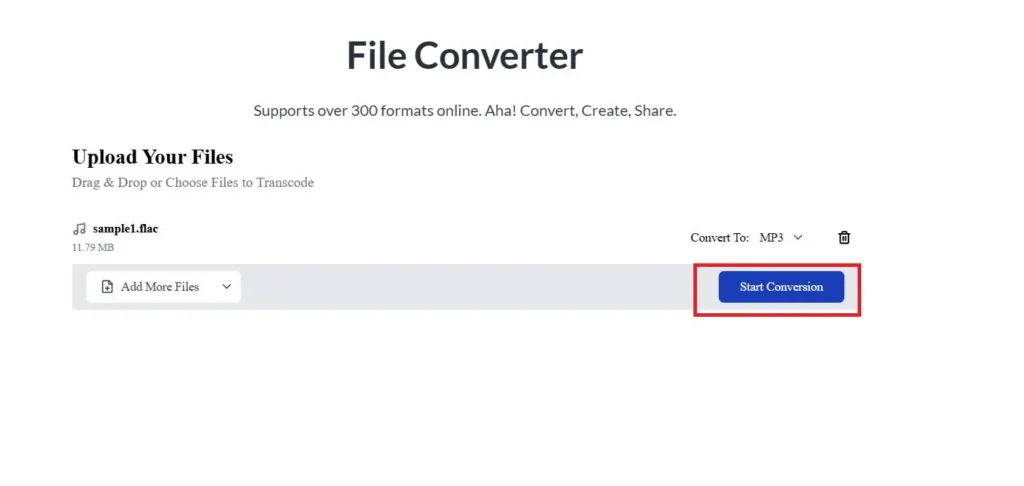
You will see the process in the form of a blue progress bar:
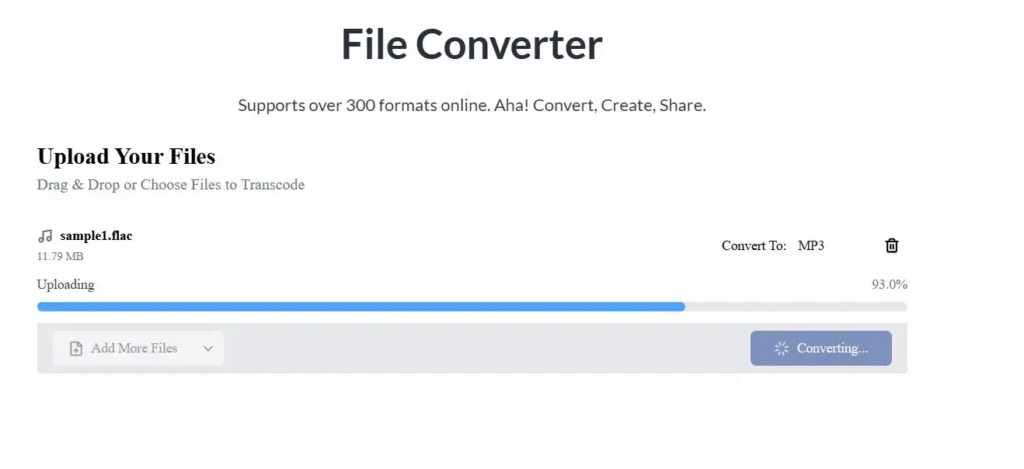
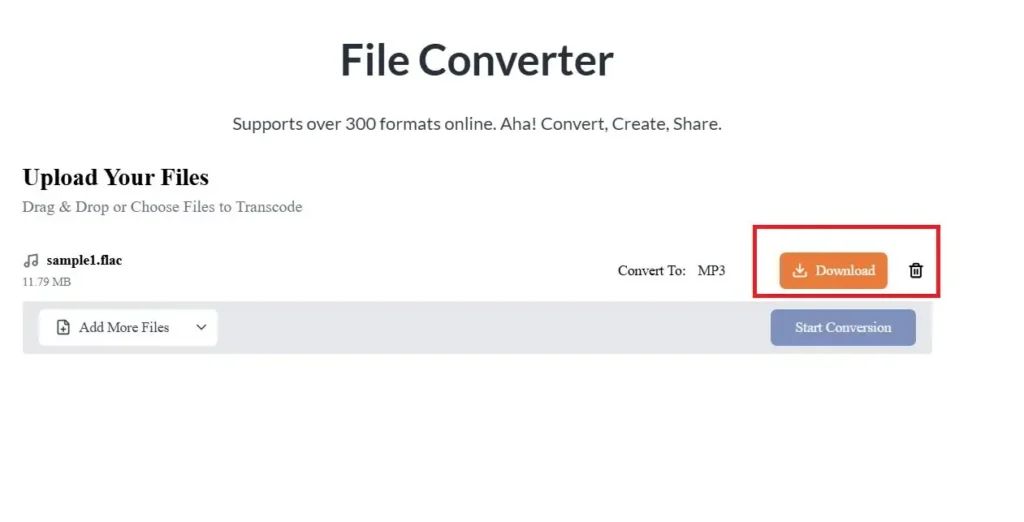
3.Grab the converted audio once the process finishes.
Concluzie
FLAC keeps the audio exactly as it was recorded. No audio data is stripped away. That makes it reliable for careful listening and long-term archiving.
The format balances quality with practical compression. Files stay smaller than WAV without losing data. Metadata support also keeps large libraries clean and searchable.
FLAC works well across modern systems and players. When support falls short, conversion steps in; you can move to MP3 or other formats without damaging the source.
That flexibility is the real advantage. You archive once in FLAC and adapt later. Sound quality stays protected, no matter how your setup changes.
Întrebări frecvente
Is FLAC Better Than CD Quality?
Yes. A CD is capped at 16-bit/44.1kHz audio. FLAC supports 24-bit/192kHz audio, which preserves more of the recorded detail than CD-quality files.
Can You Convert A FLAC File To MP3?
Yes, and people do it all the time. Tools like AhaConvert let you turn lossless FLAC files into MP3s. It is a practical way to save space on phones and tablets.
What Is The Best Audio Format To Use?
It depends on what you care about most. For archiving and maximum sound quality, FLAC is the better choice. MP3s make life easier when storage space is limited, and compatibility is key.
How Many FLAC Songs Fit On 1TB?
Most FLAC tracks range from 30 MB to 50 MB. A 1TB drive can hold roughly 25,000 to 30,000 songs. That is an extensive, high-quality music library.
Does FLAC Sound Different From WAV?
No, you will not hear a difference. Both formats hold the same audio data. FLAC compresses it without losing anything.
Ready To Hear Your Music The Way It Was Meant To Sound?
You now know what a FLAC file is and why it matters. If you rip CDs or collect high-resolution tracks, FLAC preserves every bit of the original audio. It avoids the slow, quality-degrading compression that comes with heavy compression.
Maybe your iPhone does not play FLAC files. Large WAV recordings are filling your drive. Either way, managing audio should feel simple, not frustrating.
Try AhaConvert today and convert your FLAC files to any format in seconds.